

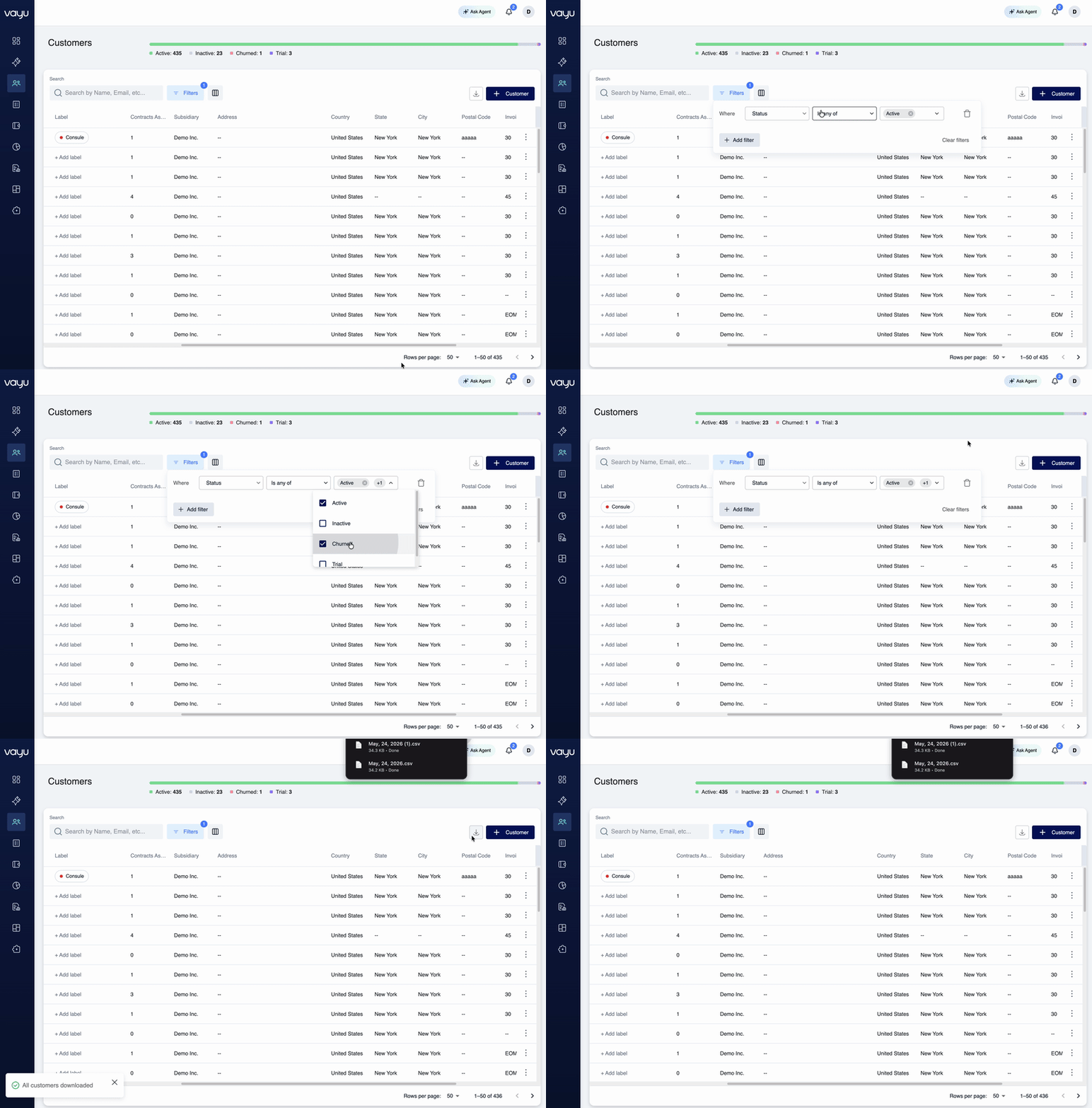
- Navigate to Customers
- Use the Filters button to narrow down the customer list if needed
- Click the Export / Download button in the control bar
- Select the fields you want to include in the export
- Download the CSV file
What’s included in customer exports
Customer exports include:- Customer name and legal name
- Email and contact information
- Status (Active, Inactive, Churned, Trial)
- Address details (country, state, city, postal code)
- Subsidiary information
- Parent customer relationships
- Number of contracts
- Created date
- Invoice due configuration
- Manual review status
- Any custom fields you’ve configured