

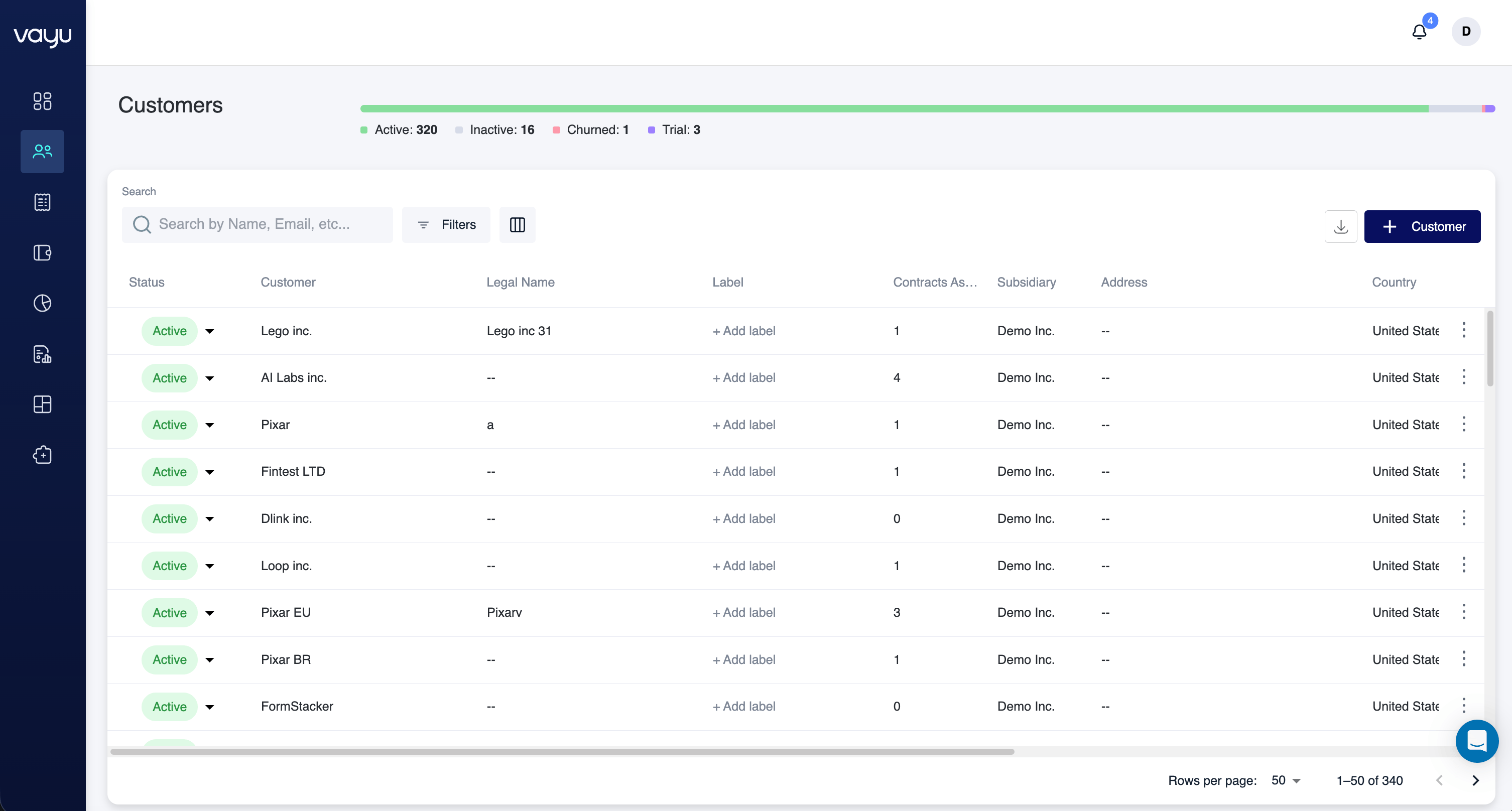
Customer Status Overview
At the top of the page, a status summary bar displays the number of customers in each state: Active, Inactive, Churned, and Trial. This summary reflects the current distribution of accounts and updates dynamically based on applied filters. It provides a high-level operational snapshot without needing to inspect individual records.Search and Actions
The control bar allows you to quickly locate and manage customers. The Global Search field lets you search by name, email, or other indexed fields. Results update automatically based on matching records. The Filters button opens the structured filter builder, allowing more granular control over the displayed results. The Settings (gear icon) controls table configuration, while the Export / Download option allows you to export customer data. To create a new customer, click + Customer.Filtering Customers
You can filter customer data in a few different ways. That includes using multiple filters or combining conditions. You can define conditions using a structured rule format with fields, operators or values. You can set the operators to “contains,” “equals,” or “is any of” and relate it to a dropdown will let you select from number of fields: The available filter fields include:- Status
- Parent Customer
- Address
- Country
- State
- City
- Postal Code
- Manual Review
- Subsidiary