

Overview
The Slack integration is used to connect a customer’s Slack workspace to Vayu so that Vayu can:- send direct messages for approval workflows
- send direct notifications for specific events
- send automated notifications to a configured Slack channel
- receive and process interactive Slack actions
Capabilities
Once connected, the Slack integration supports the following capabilities:- Workspace connection via OAuth: Users can authorize Vayu to access their Slack workspace through the Slack OAuth flow.
- Channel configuration for notifications: Users can select and save a Slack channel where automated notifications should be delivered.
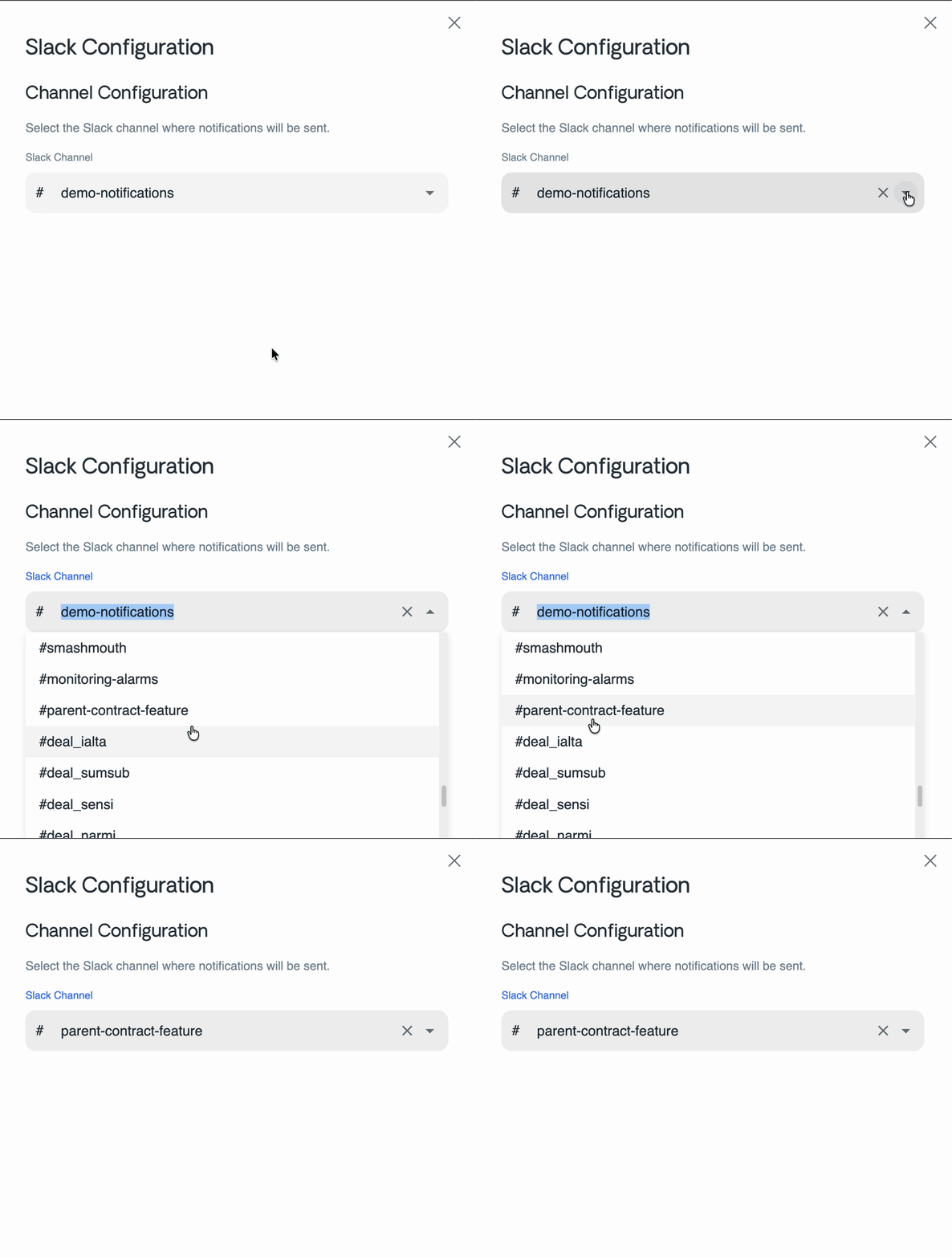
- User and channel discovery: Vayu can retrieve Slack users and channels from the connected workspace to support configuration and notification flows.
- Interactive approvals
Vayu can send interactive approval messages in Slack, including an Approve action for invoices. - Operational notifications
Vayu can send direct notifications such as credit note updates, as well as automated channel notifications.
How it works
The Slack integration consists of several parts across the Vayu platform:- API integration endpoints
The API exposes endpoints to initiate the Slack connection, handle the OAuth callback, retrieve users and channels, receive Slack events, and trigger Slack notifications. - Slack client
Vayu uses a dedicated Slack client built on@slack/web-apito communicate with Slack using the stored OAuth token. - Frontend integration settings
The Vayu frontend includes Slack integration settings that allow users to connect Slack, configure a destination channel, and disconnect the integration. - Notification delivery pipeline
Automated Slack notifications are queued through SNS and delivered by the communications service.
Supported flows
The Slack integration currently supports the following flows:- Connect Slack workspace
A user starts the OAuth flow from the Vayu integrations UI. - Authorize and store credentials
Slack redirects back to Vayu, which processes the callback and stores the workspace authentication details. - Configure notification channel
A user selects a Slack channel to receive automated notifications. This channel ID is stored in the integration configuration. - Send direct or channel notifications
Vayu sends Slack messages either to users directly or to the configured workspace channel, depending on the workflow. - Handle interactive actions
When a user clicks an interactive action in Slack, Vayu receives the callback and processes the corresponding business action.
Interactive actions
The current Slack interaction handling is focused onblock_actions.
At present, the primary implemented interactive action is:
approve_invoice
- Vayu updates the invoice status to Approved
- the original Slack message is updated to reflect the completed action
Configuration requirements
The Slack integration depends on the following configuration:API_URL
Used to construct the Slack OAuth callback URL.SLACK_SECRETS_ID
Used to retrieve the Slack OAuth application secrets.
CLIENT_IDCLIENT_SECRETSCOPES
Important behavior and limitations
- Automated Slack channel notifications require a saved
channelIdin the integration configuration. - If no
channelIdis configured, channel-based notification delivery will fail. - Slack users and channels are only retrieved when the integration is active.
- Current interactive support appears to be limited to specific implemented actions, primarily invoice approval.
Relevant components
Key implementation areas include:apps/api/src/modules/integrations/integrations.controller.tsapps/api/src/modules/integrations/integrations-apps/slack/libs/integration-client/src/slack-client/slack-client.tsapps/communications/src/apps/slack/slack-emitter/