

Overview
The PDF extraction feature allows you to upload contract PDFs and automatically extract key information including:- Customer details and contact information
- Contract terms and dates
- Pricing and product information
- Plans and commitments
How to use PDF extraction
Extracting contract data
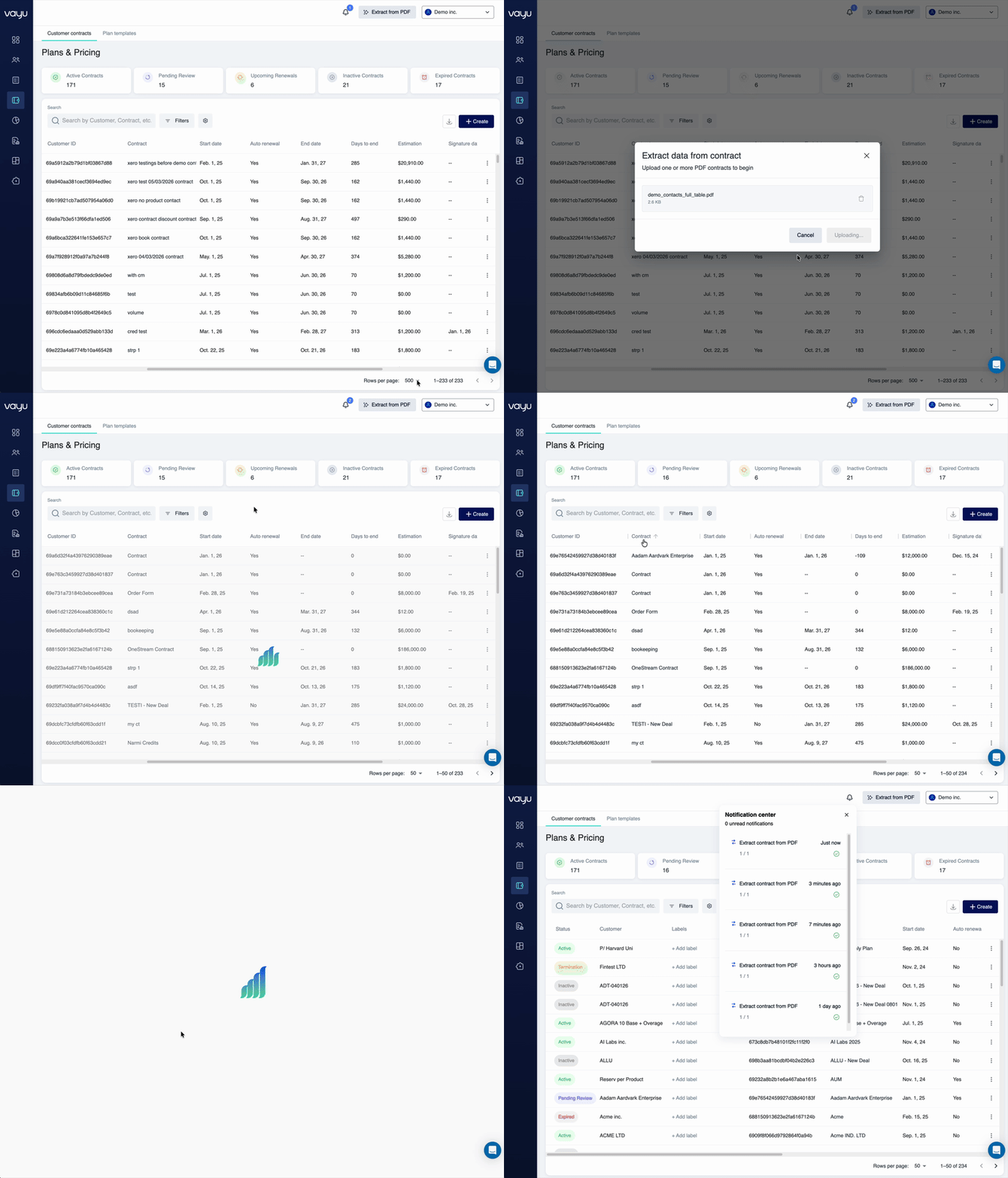
To extract data from a contract PDF:- Navigate to the contract creation workflow
- Click Extract from PDF in the upper-right corner

- In the modal window, drag and drop your contract PDF or click Upload file
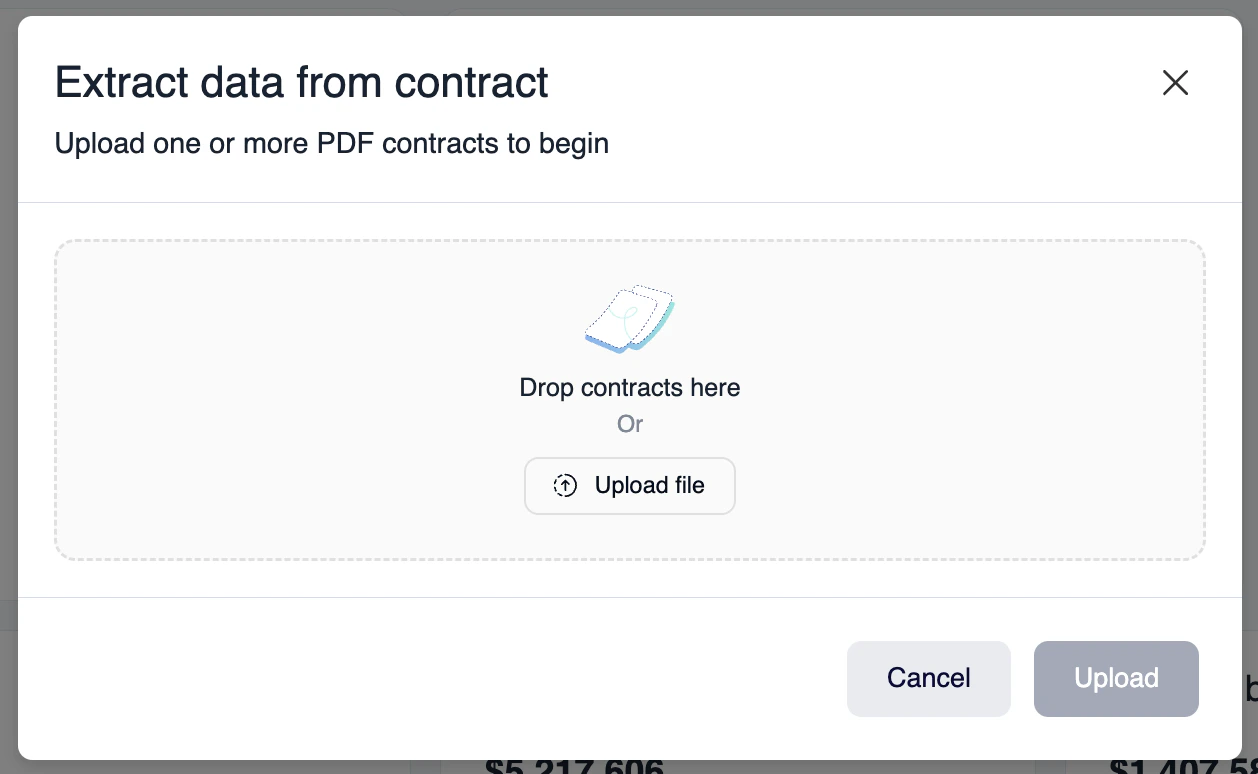
- Upload the document to begin extraction
- Review the extracted data and make any necessary adjustments
- Save the contract to complete the process
Creating customers from PDFs
When extracting contract data, the system can automatically:- Create new customer records if they don’t exist
- Match existing customers based on name or identifier
- Populate customer fields with extracted information
- Link the contract to the appropriate customer
Supported data fields
The AI extraction process can identify and populate: Customer information:- Company name
- Contact details
- Billing address
- Customer identifiers
- Contract start and end dates
- Billing cycle and frequency
- Payment terms
- Renewal conditions
- Product line items
- Fixed fees and usage-based pricing
- Commitments and minimums
- Discounts and promotions
Best practices
- Ensure PDFs are text-based (not scanned images) for best results
- Review extracted data before saving to verify accuracy
- Use consistent contract templates to improve extraction accuracy
- Update customer information if the AI matches to an existing record
Preferences and settings
You can configure PDF extraction preferences to:- Set default values for missing fields
- Define customer matching rules
- Specify required fields for validation
- Customize extraction behavior