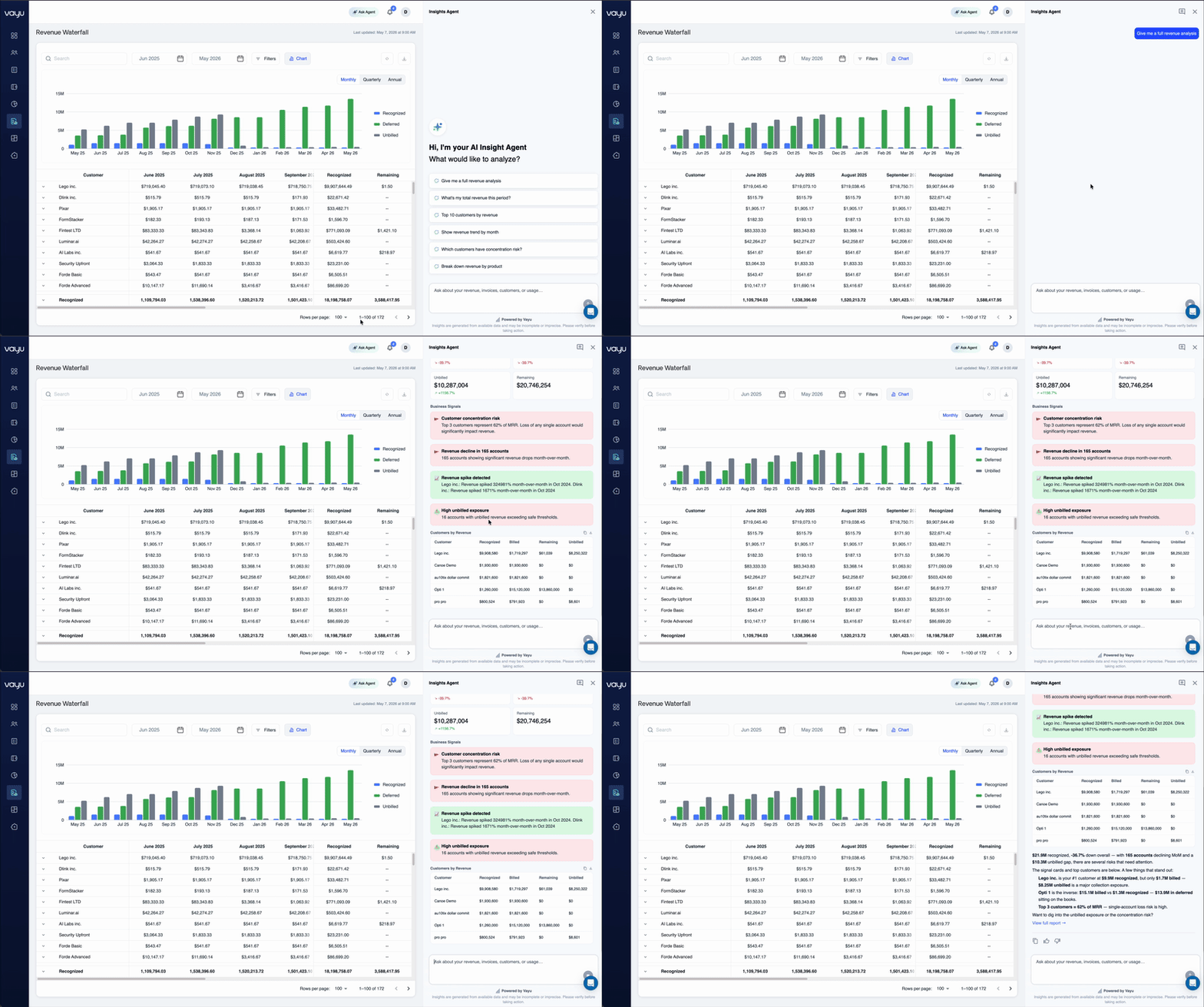
- ARR/MRR Report* - This reviews recurring revenue and trends over different periods of time, whether monthly (MRR), quarterly (QRR), or annually (ARR).
*This merges the previous Month-End Report with the previous Recurring Revenue Report.
- NRR/GRR Report - Measure customer revenue retention performance for two things: 1) Net Revenue Retention (NRR) and Gross Revenue Retention (GRR)
- Revenue Analysis Report - Analyze recognized revenue across customers and time periods.
ARR / MRR Report
The ARR / MRR Report tracks recurring revenue trends over time across customers, contracts, products, and billing periods. This report calculates MRR (Monthly Recurring Revenue), QRR (Quarterly Recurring Revenue), and ARR (Annual Recurring Revenue) using active recurring contract data and displays both current revenue values and historical changes. It includes the following metrics:- Current MRR values by customer and contract
- Historical MRR, QRR, and ARR trends across selected time periods
- Revenue waterfall movements, including:
- New revenue
- Expansion revenue
- Reactivation revenue
- Contraction revenue
- Churned revenue
- Contract start and end dates
- Contract status information
- Revenue grouped by customer, contract, or product
- Original currency values and exchange rate conversions
- Custom fields and metadata for segmentation
- Monthly, quarterly, and annual reporting views
Export/Download
You can download the report as a CSV for financial reporting, board reporting, forecasting, and revenue operations analysis.Ask AI Agent
The ARR / MRR Report includes the Ask AI Agent, which allows users to analyze recurring revenue trends using natural-language questions. Users can quickly investigate churn, expansion, MRR waterfalls, product-level revenue breakdowns, and projected ARR without manually building filters or reports.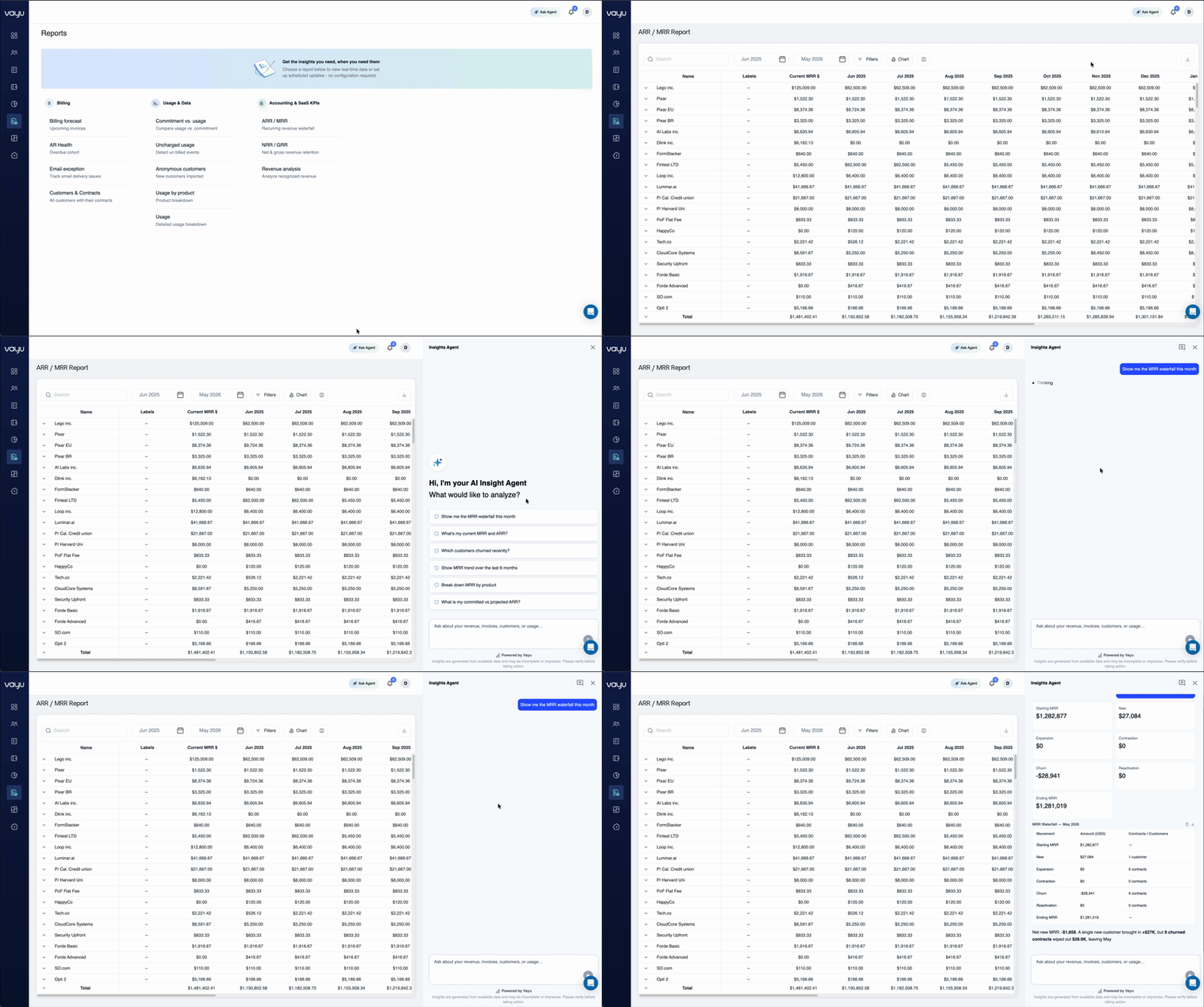
NRR / GRR Report
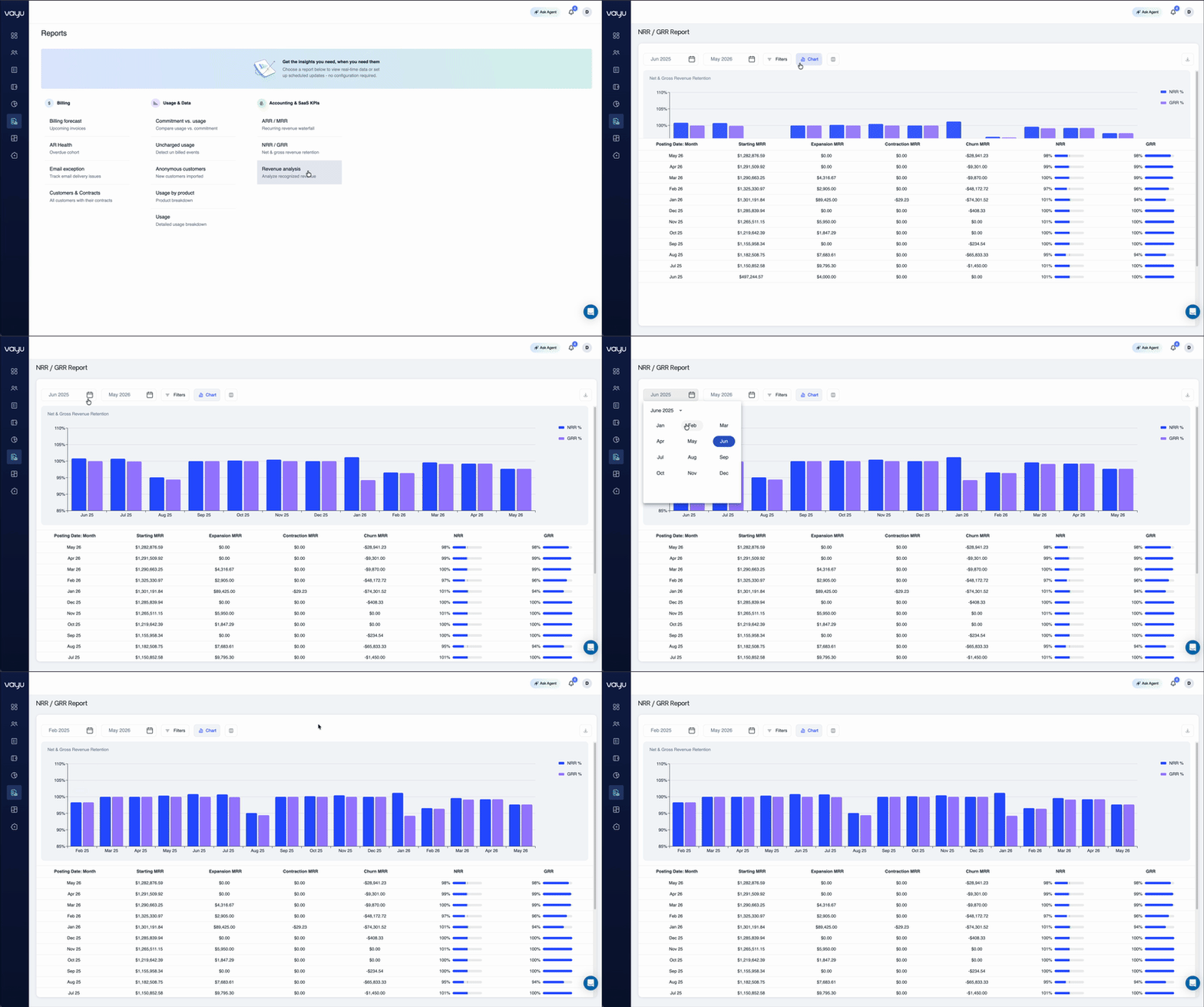
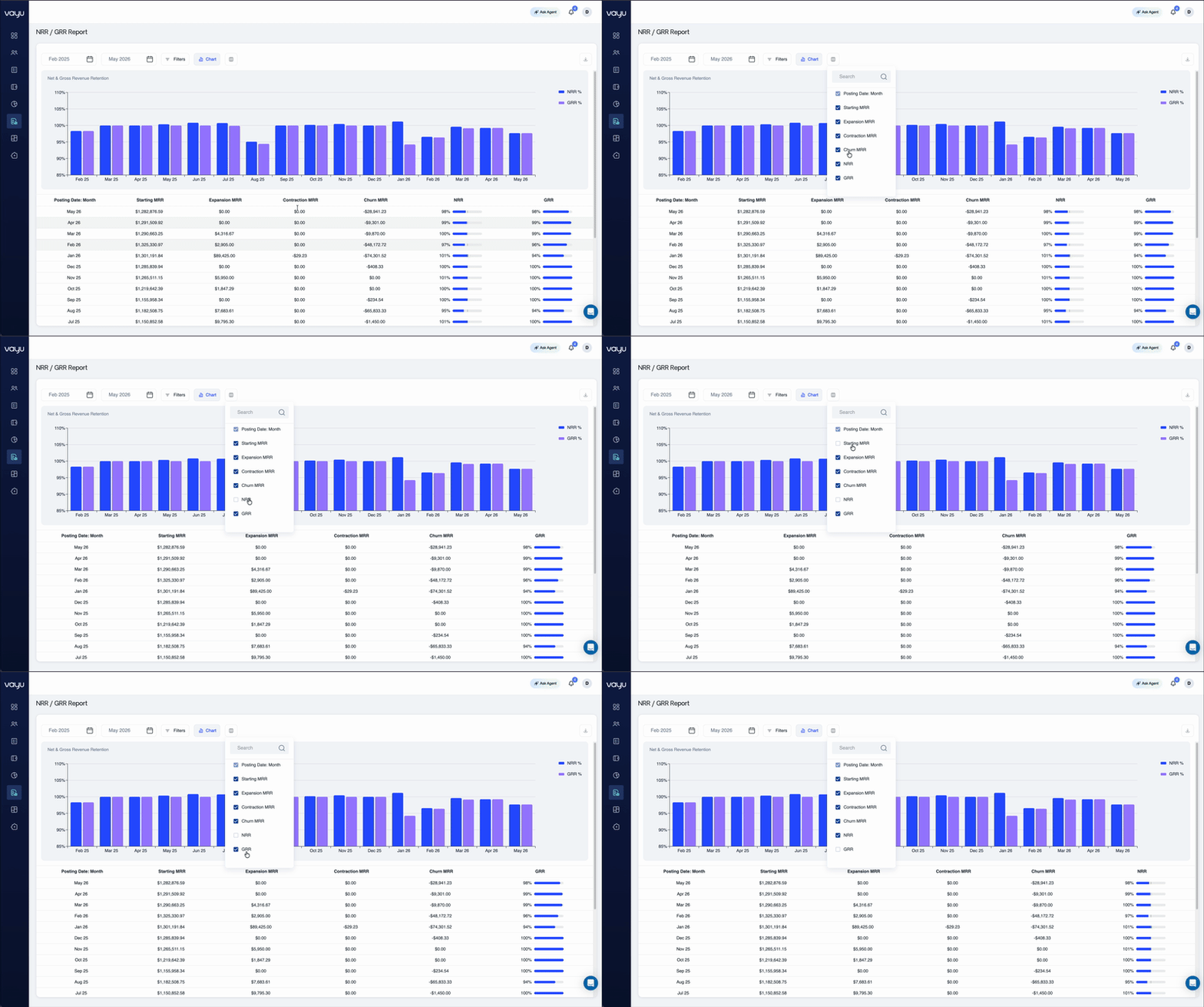
The NRR / GRR Report measures customer revenue retention over time by analyzing recurring revenue changes across existing customer accounts. This report calculates NRR (Net Revenue Retention) and GRR (Gross Revenue Retention) using recurring revenue activity such as expansions, contractions, and churn. The report displays the following metrics:- Starting MRR for each reporting period
- Expansion MRR from upgrades and account growth
- Contraction MRR from downgrades or reduced spend
- Churn MRR from fully lost recurring revenue
- NRR percentages by reporting period
- GRR percentages by reporting period
- Historical monthly retention trends
- Retention performance across selected date ranges
Export/Download
You can download the report as a CSV for board reporting, investor reporting, revenue operations analysis, and customer retention monitoring.Ask AI Agent
The NRR / GRR Report includes the Ask AI Agent for conversational retention analysis. Users can ask questions about NRR and GRR performance, identify customer contractions or expansions, and review retention trends across reporting periods directly from the report interface.Revenue Waterfall Report
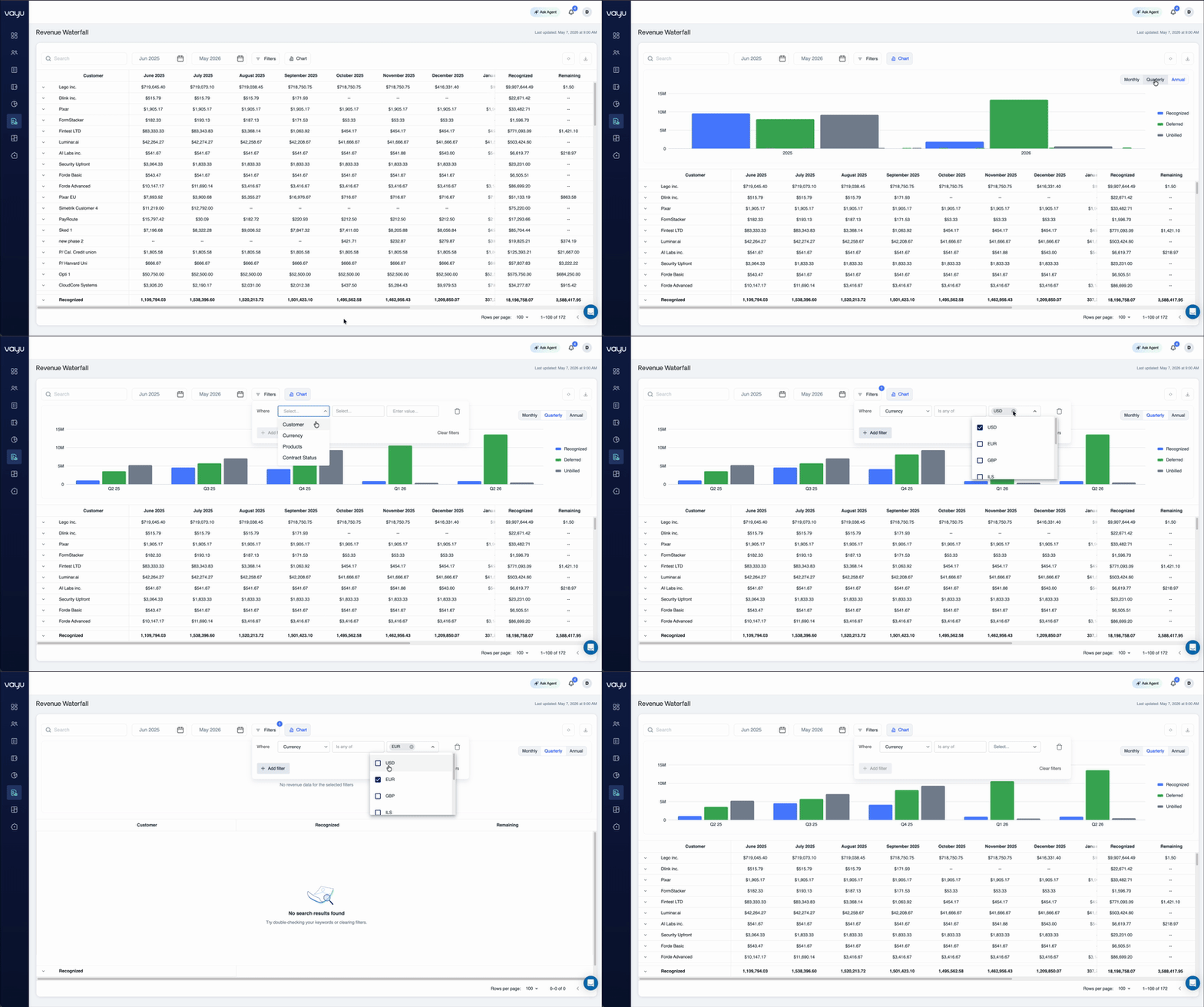
The Revenue Waterfall Report provides visibility into recognized, deferred, and unbilled revenue across customers, contracts, and adjustable reporting periods. This report shows finance and revenue teams how billed and unbilled revenue changes over time, monitor deferred balances, and recognize trends. The report combines chart and table views to support both high-level financial analysis and detailed customer-level revenue review. It displays the following metrics:- Recognized revenue by reporting period
- Deferred revenue balances over time
- Unbilled revenue amounts
- Revenue by customer and contract
- Monthly, quarterly, and annual revenue trends
- Remaining deferred balances by customer
- Historical revenue recognition activity
- Revenue totals across selected date ranges
Export/Download
You can download the report as a CSV for accounting review, financial reporting, revenue reconciliation, audit preparation, and operational analysis.Ask AI Agent
The Revenue Analysis Report includes the Ask AI Agent for interactive revenue analysis and financial insights. Users can generate revenue summaries, identify concentration risks, analyze customer revenue distribution, and break down recognized revenue trends using natural-language queries.