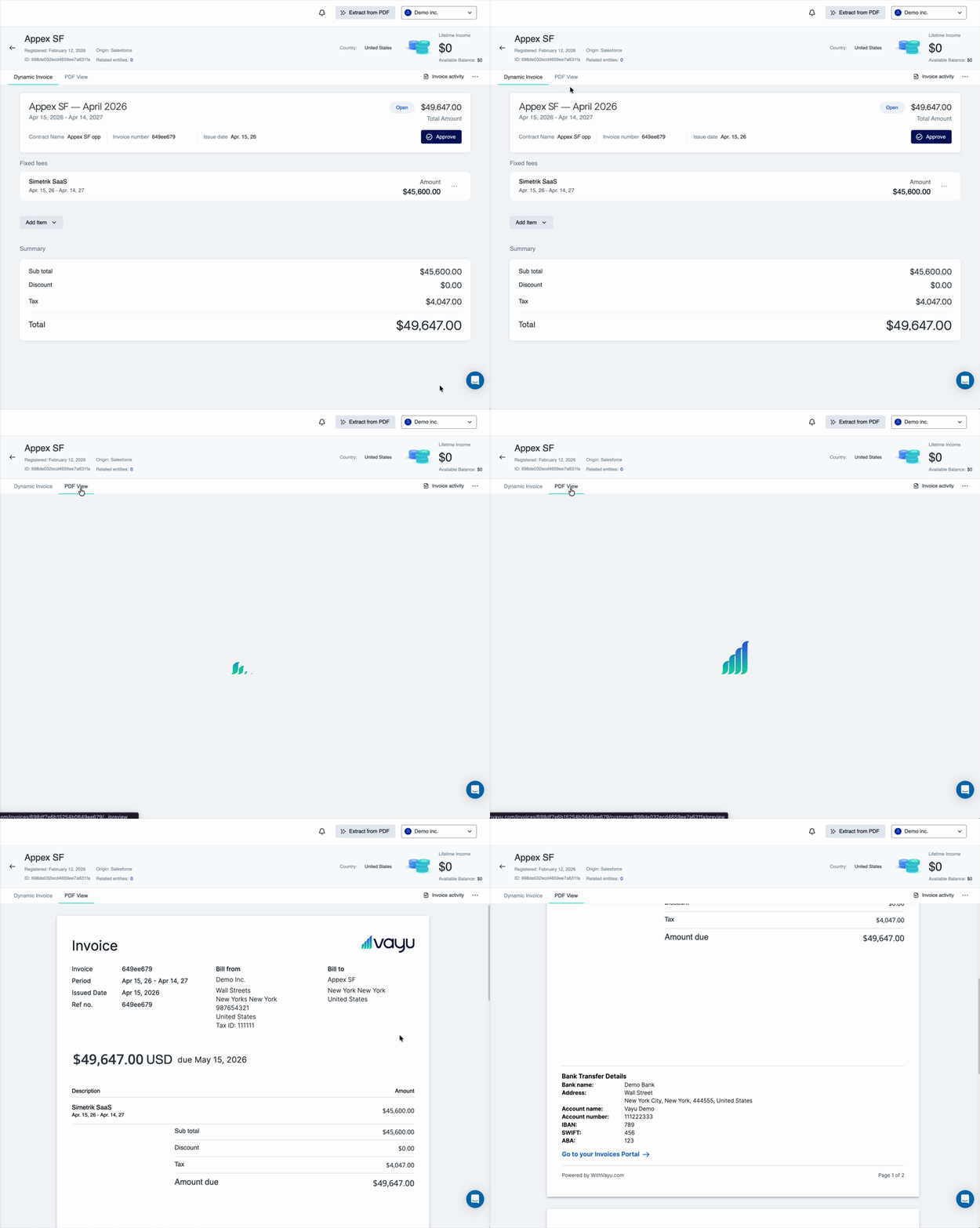
Invoice Overview
The Invoices section allows you to view and manage invoices generated for your customers and serves as the primary workspace for reviewing billing activity. From this view, you can see invoices across customers and contracts and filter them. Prior to approving each invoice, you can also apply changes to individual invoices then approve, send & sync each invoice or multiple invoices at once .Invoice Filters and Presets
Invoices can be filtered to help you focus on specific subsets of data.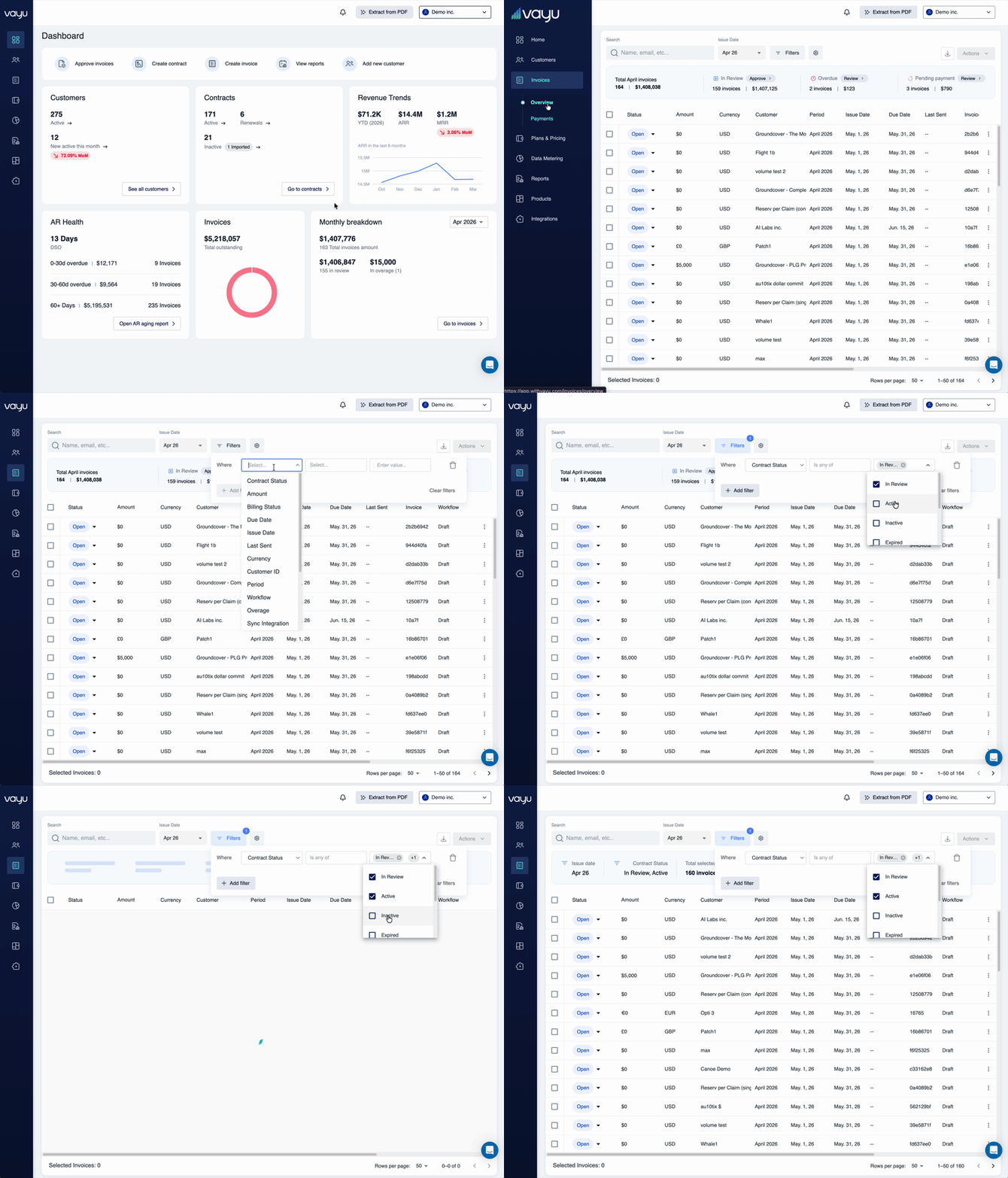
Working With Multiple Invoices
From the invoice list view, you can take actions on multiple invoices simultaneously, allowing for:- Reviewing groups of invoices
- Applying bulk actions where relevant (such as status changes or multiple approvals)
- Navigating efficiently across large invoice sets
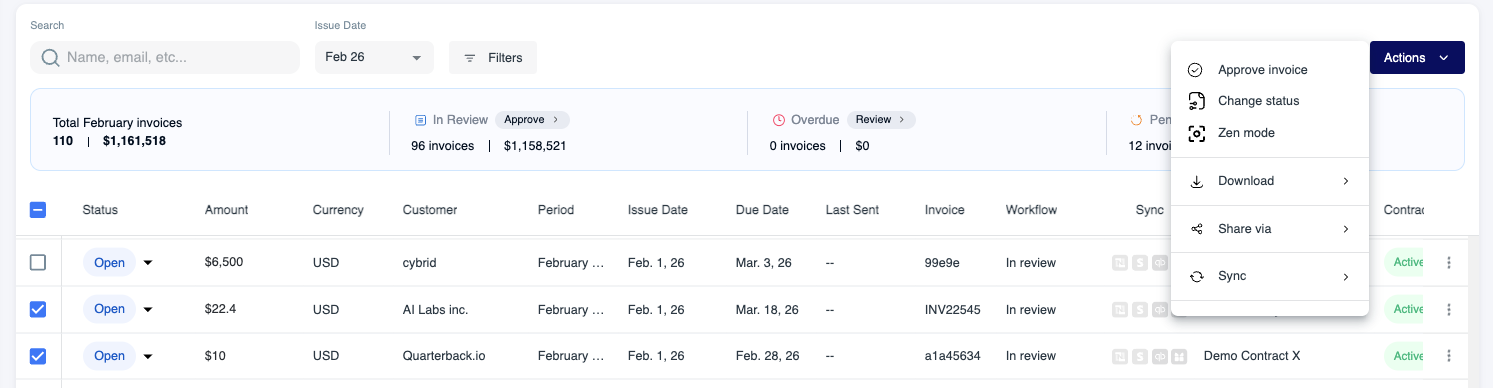
Zen Mode
Zen Mode provides a focused way to review invoices one at a time. Think of it as a soothing, meditative approach to invoice management without being overwhelmed by an entire table of options. When Zen Mode is enabled, invoices are presented individually, then reviewed/approved in sequence, one at a time. The interface minimizes distractions from surrounding data.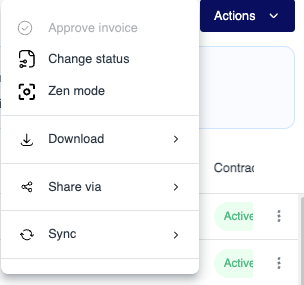
Dynamic View vs. PDF View
Each invoice includes a dynamic view that displays how the invoice was calculated as well as the usage consumption for each product over the invoice period. From this view, you can see usage accumulation over the invoice period and how charges are broken down within the invoice. Within an invoice, usage is displayed as it accumulates across the billing period. This allows you to see how usage grows or spikes during the invoice timeframe and to make changes for consumption in later billing periods. Each invoice can also be viewed as a PDF, represents the finalized invoice format and allows for standard sharing, sending, and record keeping. The PDF can also include clickable links in its digital form, such as a ‘Pay Now’ link.