> ## Documentation Index
> Fetch the complete documentation index at: https://guide.withvayu.com/llms.txt
> Use this file to discover all available pages before exploring further.
# Change Log
> New features and updates to Vayu
# Change Log
# Stripe - Partial Payments
When credits are applied to an invoice in Vayu, or when a partial payment is recorded, that information now syncs back to Stripe for synced invoices.
**What this means for customers:**
* Stripe-hosted invoices now show a more accurate remaining balance
* Customers and finance teams see less mismatch between Vayu and Stripe
* If an invoice is fully settled through credits and payments, Stripe can reflect that correctly as well
This is especially helpful for teams that rely on Stripe-hosted invoice links as part of their billing workflow.
# Payments Page – Custom Fields
Customer and contract custom fields can now be added as optional columns on the Payments page.
What this means for customers:
* Teams can personalize the Payments view with the fields most relevant to them
* Payment records can be reviewed with more business context directly in the table
* Users can reduce manual lookup by seeing customer or contract metadata alongside payment activity
This improves reporting, reconciliation, and day-to-day operational workflows for teams managing high payment volume.
# Reporting Upgrades
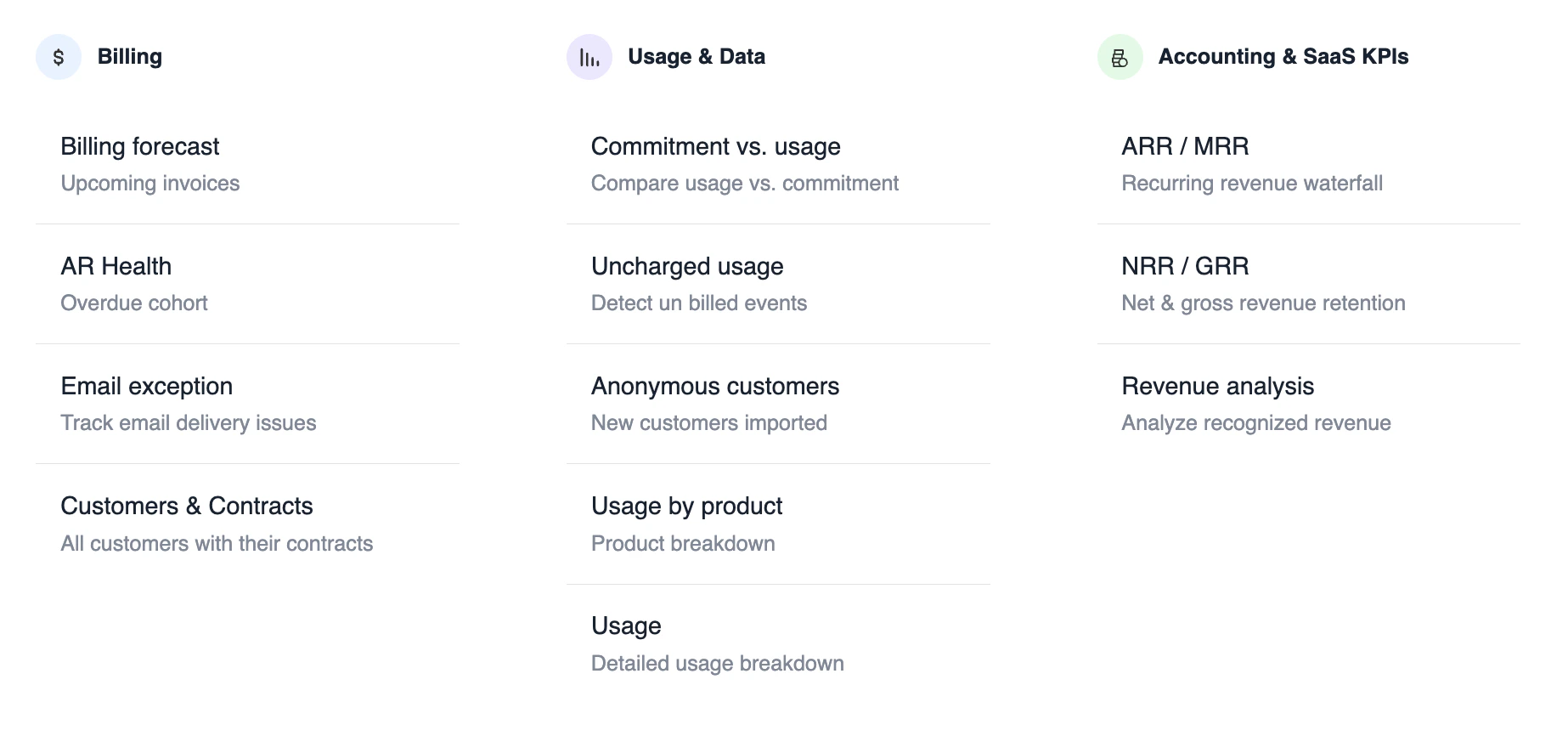 We have launched the new [NRR/GRR](/accounting-reports) and Customer Master Reports. The ARR/MRR Report also comes with added AI analysis support, custom field integration, and flat export capabilities.
You’ll see a general UI upgrade as well as enhancements to the XLSX exports, column picker, Ask Agent toggle, and chart legend.
# Inflationary Uplift
We’ve introduced automatic phase creation for [Inflationary Uplift](https://guide.withvayu.com/documentation/guides/plans-and-pricing/phases#inflationary-uplift), ensuring pricing updates are applied seamlessly and on schedule.
This reduces manual effort and improves billing accuracy by automatically reflecting uplift changes in contracts.
# Customer UI Updates
We’ve introduced a faster, clearer customer experience with a redesigned interface, smoother navigation, and improved visibility across contracts and invoices.
This includes patchwork pricing, manual phase control, and reliability upgrades across billing, integrations, and performance.
# Vayu Insights Agent
We have launched the new [NRR/GRR](/accounting-reports) and Customer Master Reports. The ARR/MRR Report also comes with added AI analysis support, custom field integration, and flat export capabilities.
You’ll see a general UI upgrade as well as enhancements to the XLSX exports, column picker, Ask Agent toggle, and chart legend.
# Inflationary Uplift
We’ve introduced automatic phase creation for [Inflationary Uplift](https://guide.withvayu.com/documentation/guides/plans-and-pricing/phases#inflationary-uplift), ensuring pricing updates are applied seamlessly and on schedule.
This reduces manual effort and improves billing accuracy by automatically reflecting uplift changes in contracts.
# Customer UI Updates
We’ve introduced a faster, clearer customer experience with a redesigned interface, smoother navigation, and improved visibility across contracts and invoices.
This includes patchwork pricing, manual phase control, and reliability upgrades across billing, integrations, and performance.
# Vayu Insights Agent
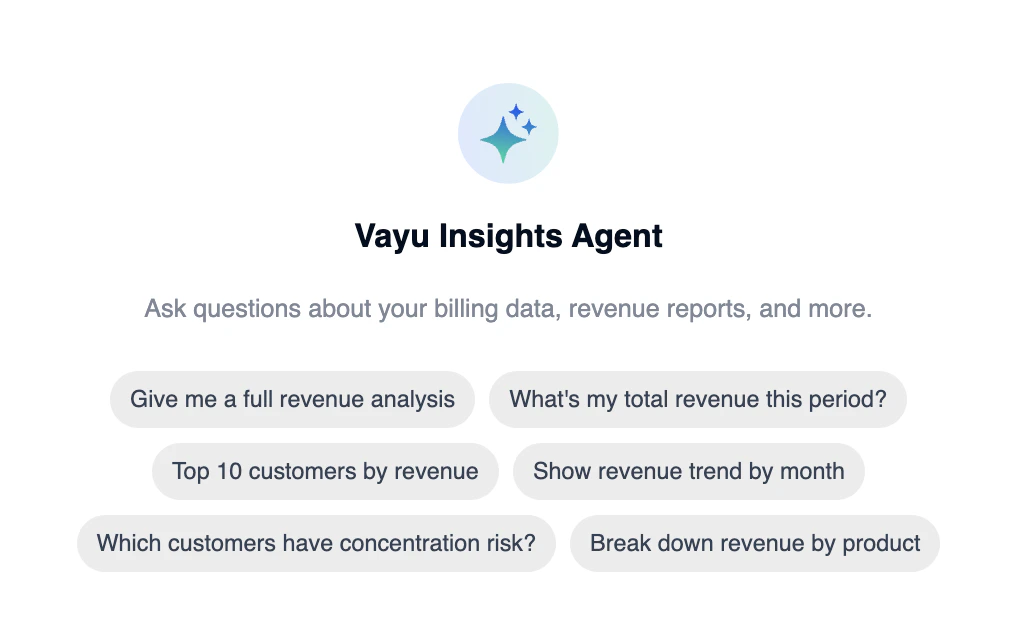 Added a new Vayu Insights Agent to help users explore and understand revenue data through natural language queries.
# Revenue Waterfall Report
Added a new Vayu Insights Agent to help users explore and understand revenue data through natural language queries.
# Revenue Waterfall Report
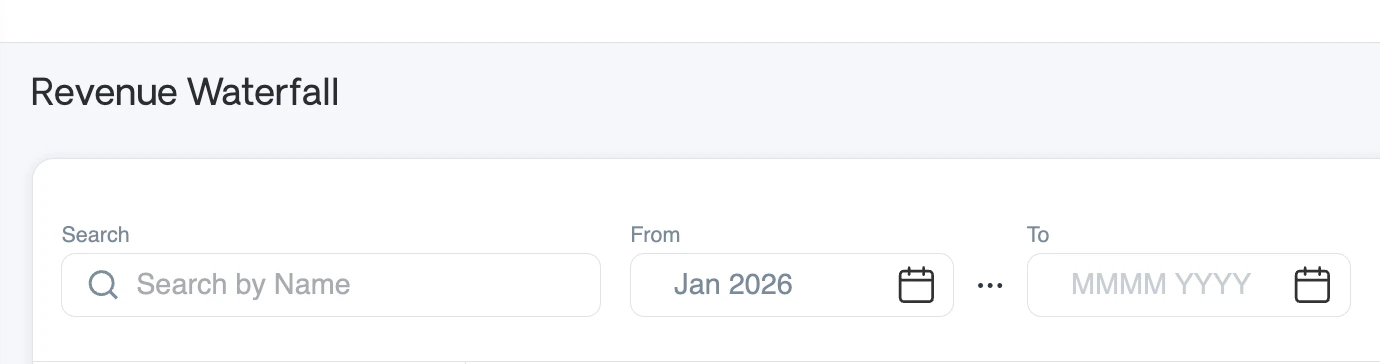 We have introduced a redesigned revenue waterfall experience with improved navigation, clearer hierarchy, and more accurate revenue breakdowns across time.
# Scheduling Snowflake, ERP Imports & Export
We have introduced a redesigned revenue waterfall experience with improved navigation, clearer hierarchy, and more accurate revenue breakdowns across time.
# Scheduling Snowflake, ERP Imports & Export
 We have introduced the ability to set unique, ongoing schedules for Snowflake and ERP import and export sync jobs, giving you more flexible and controlled data synchronization.1
# Extract From makes PDF data uploads easy
We have introduced the ability to set unique, ongoing schedules for Snowflake and ERP import and export sync jobs, giving you more flexible and controlled data synchronization.1
# Extract From makes PDF data uploads easy
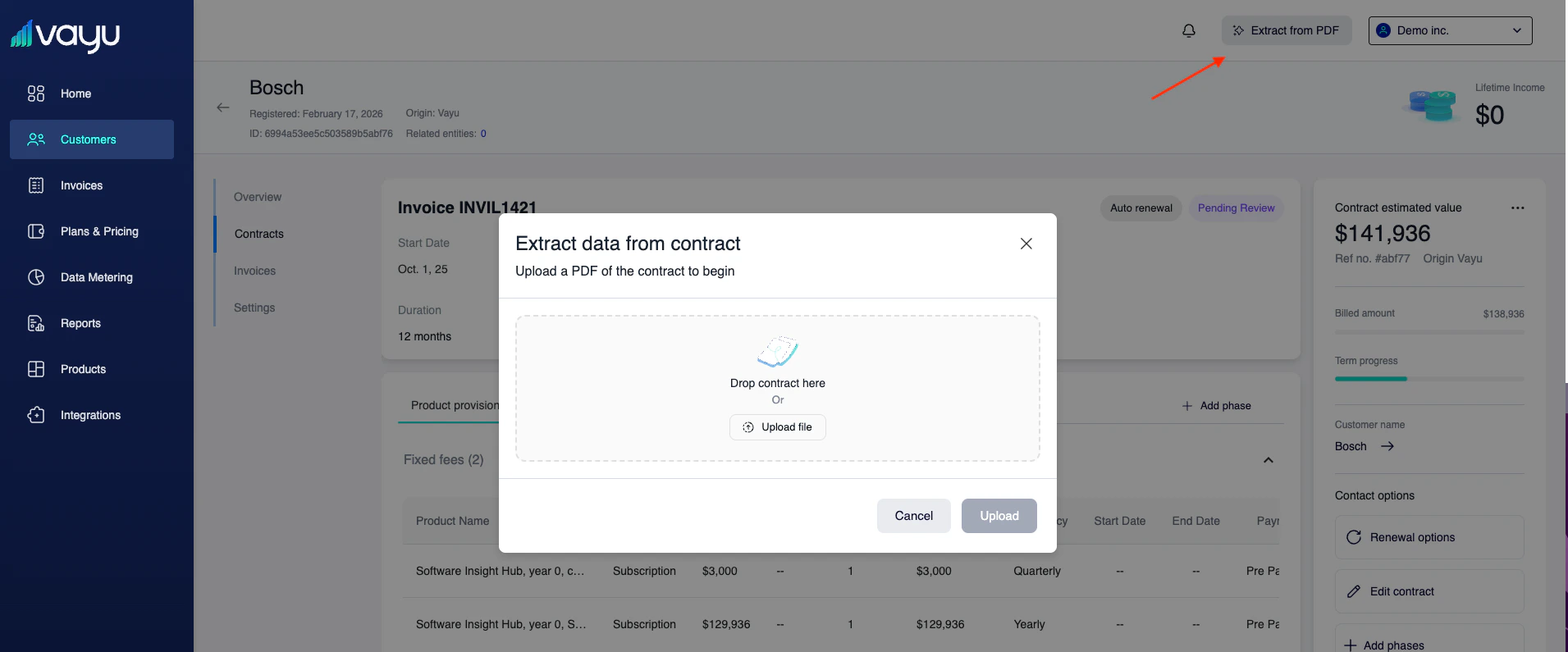 Extract From allows you to upload a contract PDF and automatically extract structured contract data into Vayu. The system parses the uploaded document and prepares the extracted information for use within the contract workflow.
To use this feature:
Click Extract from PDF in the upper-right corner.
In the modal window, drag and drop your contract PDF or click "Upload file."
Upload the document to begin extraction.
# Anrok Integration Live + New Invoice Features
Vayu’s new integration with [Anrok](/documentation/guides/integrations/anrok) is live. This will allow you to manage taxes from inside Vayu.
Extract From allows you to upload a contract PDF and automatically extract structured contract data into Vayu. The system parses the uploaded document and prepares the extracted information for use within the contract workflow.
To use this feature:
Click Extract from PDF in the upper-right corner.
In the modal window, drag and drop your contract PDF or click "Upload file."
Upload the document to begin extraction.
# Anrok Integration Live + New Invoice Features
Vayu’s new integration with [Anrok](/documentation/guides/integrations/anrok) is live. This will allow you to manage taxes from inside Vayu.
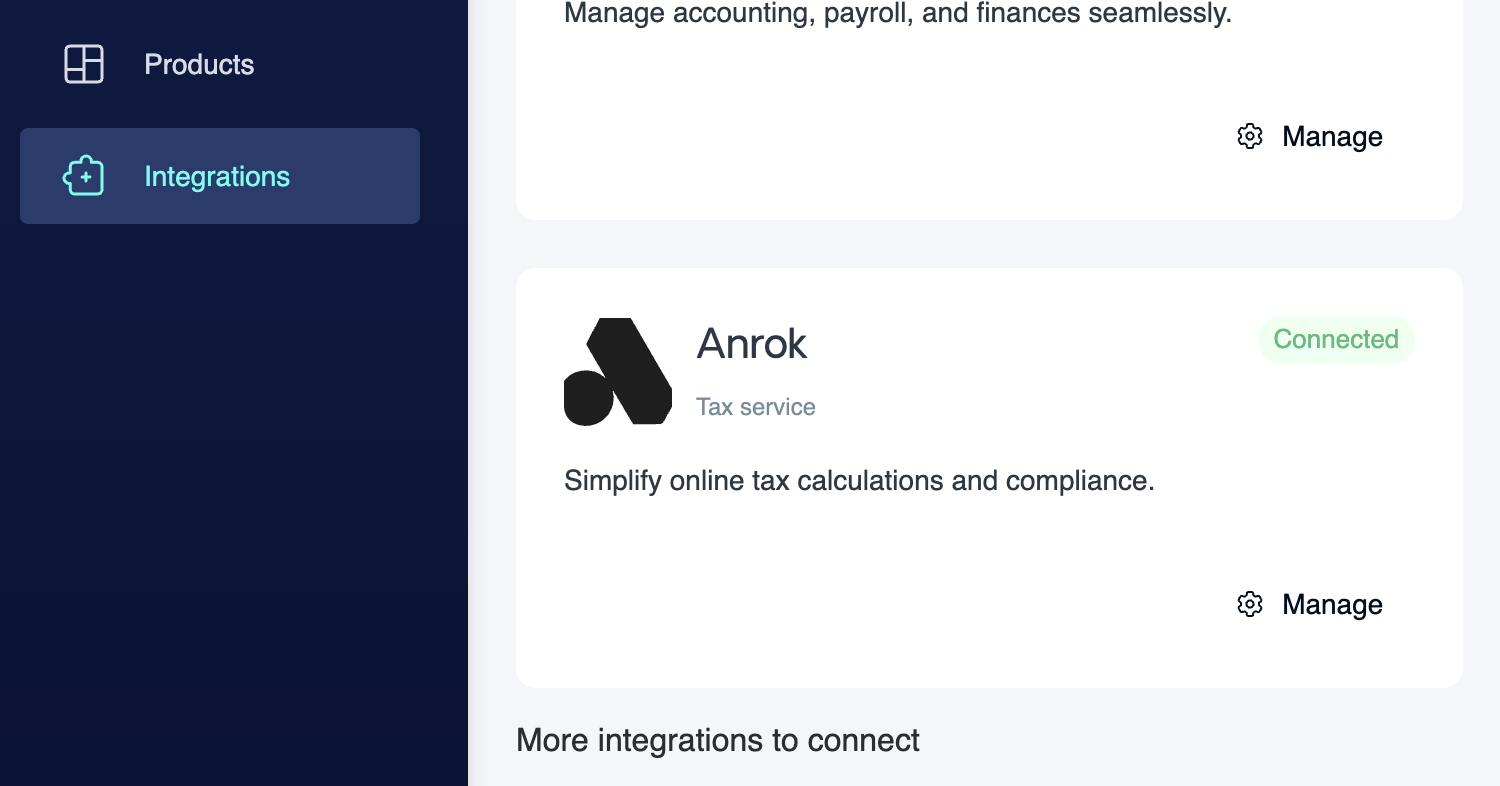 By connecting Anrok, tax is calculated automatically on invoices based on product type and customer location, removing the need for manual tax handling and reducing the risk of compliance errors.
This integration is designed to keep tax calculation accurate, consistent, and fully embedded in the invoicing workflow, without adding operational overhead.
# Dynamic Invoice Highlights
Dynamic Invoice Highlights introduce status chips such as Overdue, In Review, and Pending, all of which are clickable for filtering. Additionally, invoice data now recalculates as you change filters like Issue Date (for example, if you add a month).
# Sync Invoices as Sales Orders in NetSuite
You can now sync your Vayu invoices as Sales Orders in [NetSuite](/documentation/guides/integrations/netsuite), including data such as the PO number.
By connecting Anrok, tax is calculated automatically on invoices based on product type and customer location, removing the need for manual tax handling and reducing the risk of compliance errors.
This integration is designed to keep tax calculation accurate, consistent, and fully embedded in the invoicing workflow, without adding operational overhead.
# Dynamic Invoice Highlights
Dynamic Invoice Highlights introduce status chips such as Overdue, In Review, and Pending, all of which are clickable for filtering. Additionally, invoice data now recalculates as you change filters like Issue Date (for example, if you add a month).
# Sync Invoices as Sales Orders in NetSuite
You can now sync your Vayu invoices as Sales Orders in [NetSuite](/documentation/guides/integrations/netsuite), including data such as the PO number.
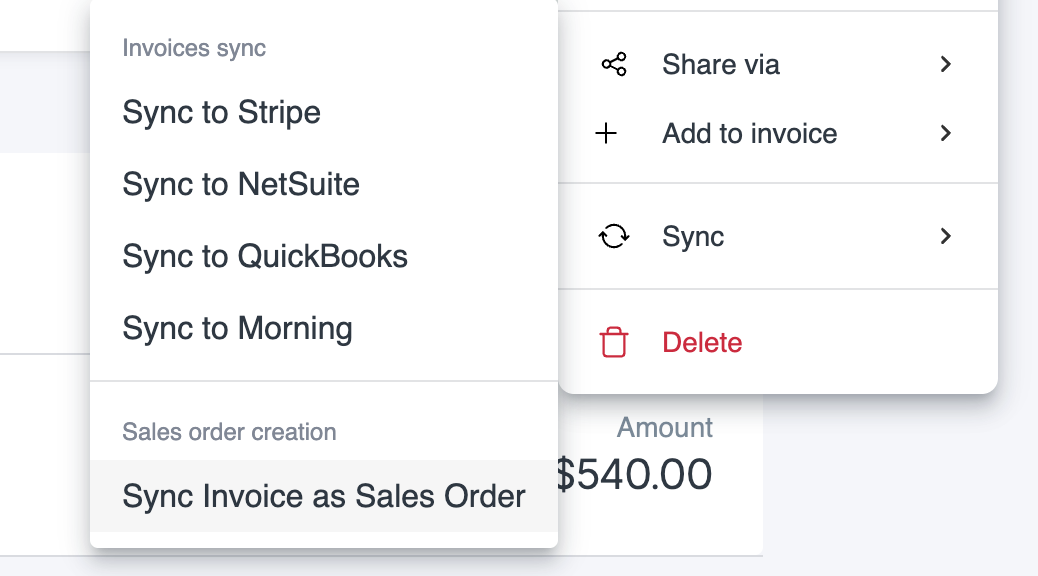 This includes a sync status display to follow the process. Simply hit the Ellipse menu (●●●), then select **Sync**. On the Sync submenu, select **Sync Invoice as Sales Order**.
# Invoice Filtering
We’ve updated our invoice filtering to allow parsing by separate months. This makes for easy selection of months outside of one specific range, as seen in the example below.
This includes a sync status display to follow the process. Simply hit the Ellipse menu (●●●), then select **Sync**. On the Sync submenu, select **Sync Invoice as Sales Order**.
# Invoice Filtering
We’ve updated our invoice filtering to allow parsing by separate months. This makes for easy selection of months outside of one specific range, as seen in the example below.
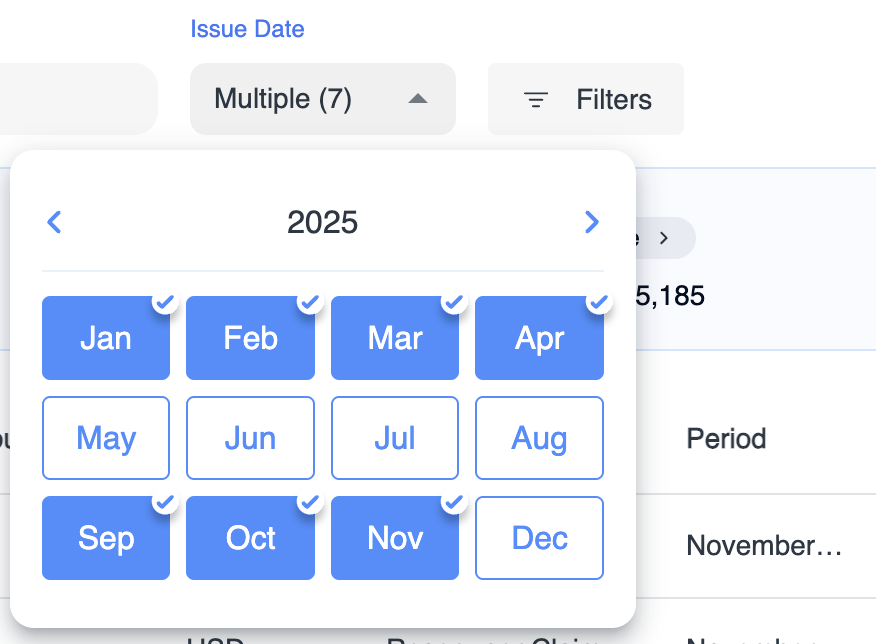 You can scroll by year and select individual months.
# ARR/MRR Visualization
This update has many feature additions for reporting recurring revenue. First, there is a new ARR graph on your homepage dashboard, reporting real-time revenue updates.
You can scroll by year and select individual months.
# ARR/MRR Visualization
This update has many feature additions for reporting recurring revenue. First, there is a new ARR graph on your homepage dashboard, reporting real-time revenue updates.
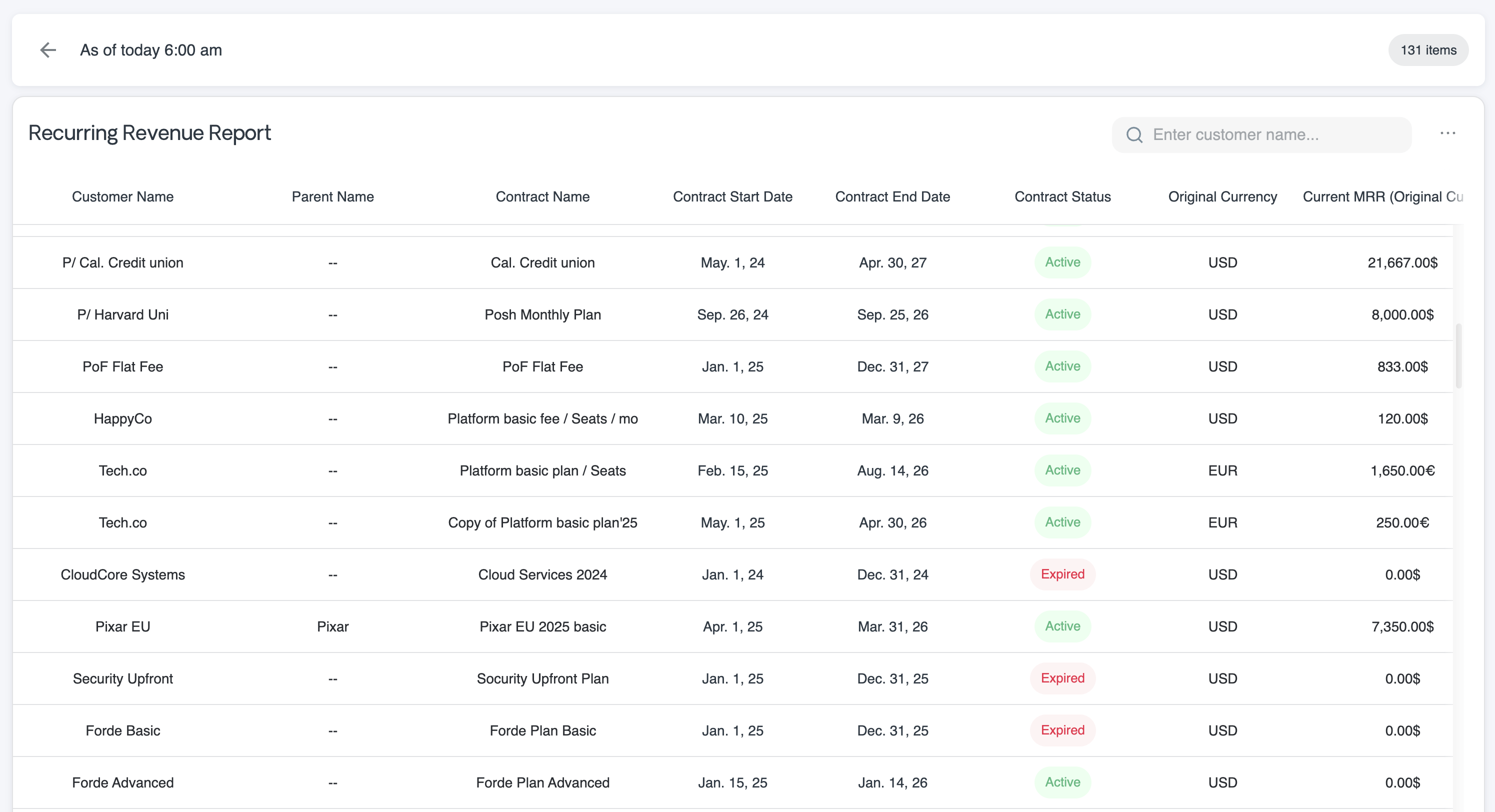 We have enhanced the recurring revenue endpoint to be more accurate on ARR/MRR metrics at both the customer and account levels. Additional features include contract phases in MRR calculation and custom fields for MRR reports.
## Other Notable Updates
* **Billing Engine:** We have just implemented automatic rounding of line items and invoice revenues to pre-configured decimal precision, which you can define in your account settings. This will be consistent across the platform.
* **Cloning Contracts:** Users can now duplicate previous contracts with pre-filled fields, including the customer and required start date. This will speed up new contract creation.
# Tier Usage Notification
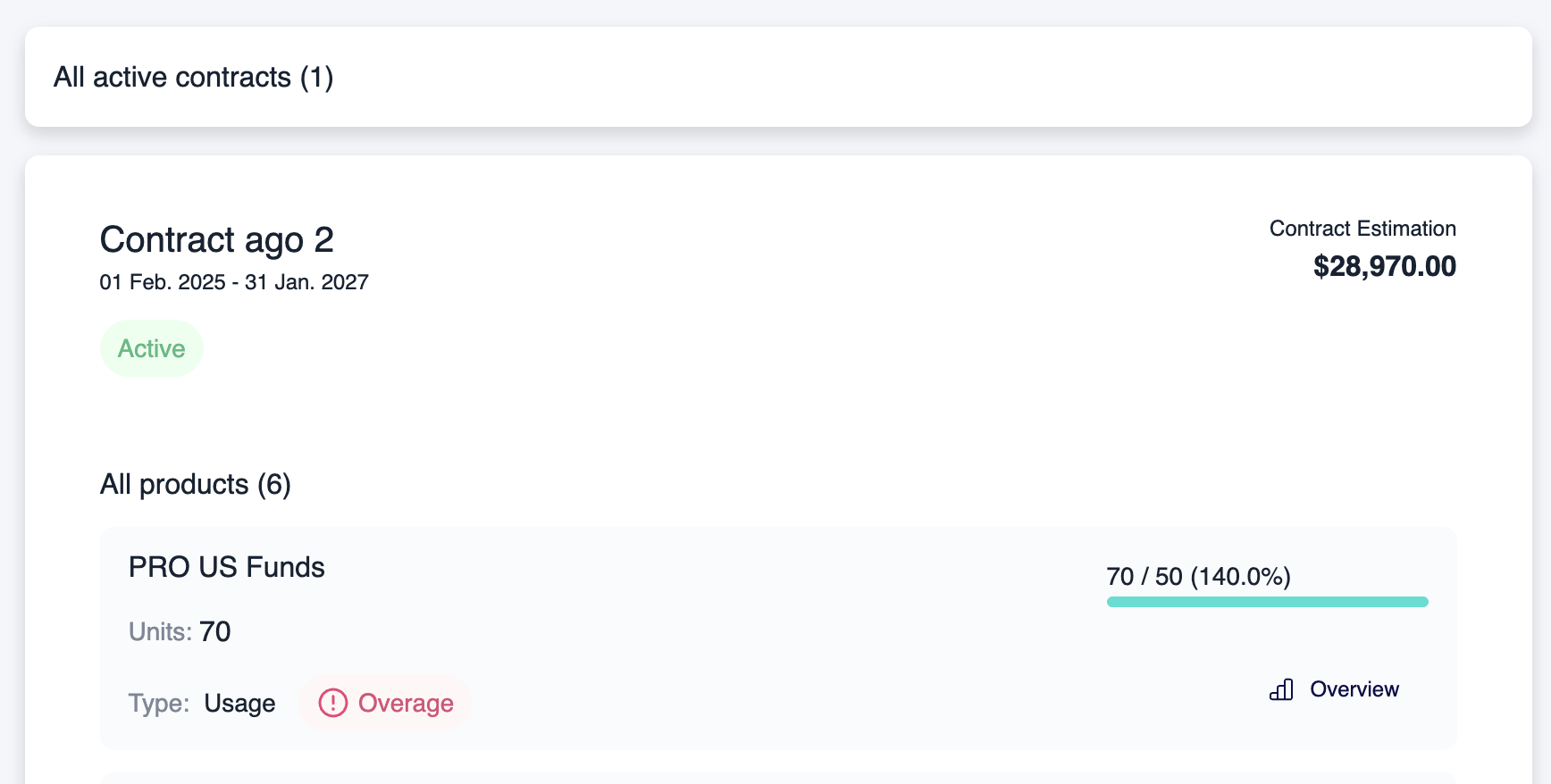
We have updated Vayu to send an in-app alert when usage passes the last tier. This will let users know to follow up and adjust settings later.
We have enhanced the recurring revenue endpoint to be more accurate on ARR/MRR metrics at both the customer and account levels. Additional features include contract phases in MRR calculation and custom fields for MRR reports.
## Other Notable Updates
* **Billing Engine:** We have just implemented automatic rounding of line items and invoice revenues to pre-configured decimal precision, which you can define in your account settings. This will be consistent across the platform.
* **Cloning Contracts:** Users can now duplicate previous contracts with pre-filled fields, including the customer and required start date. This will speed up new contract creation.
# Tier Usage Notification
We have updated Vayu to send an in-app alert when usage passes the last tier. This will let users know to follow up and adjust settings later.
 ## Other Notable Updates
* We have added settings to control whether or not invoice numbers from your integrations should override Vayu invoice numbers after a sync.
* A "Select All" option was added to product dropdowns for improved selected item display.
* Aggregated invoices will default to "In Review."
# **MRR Report**
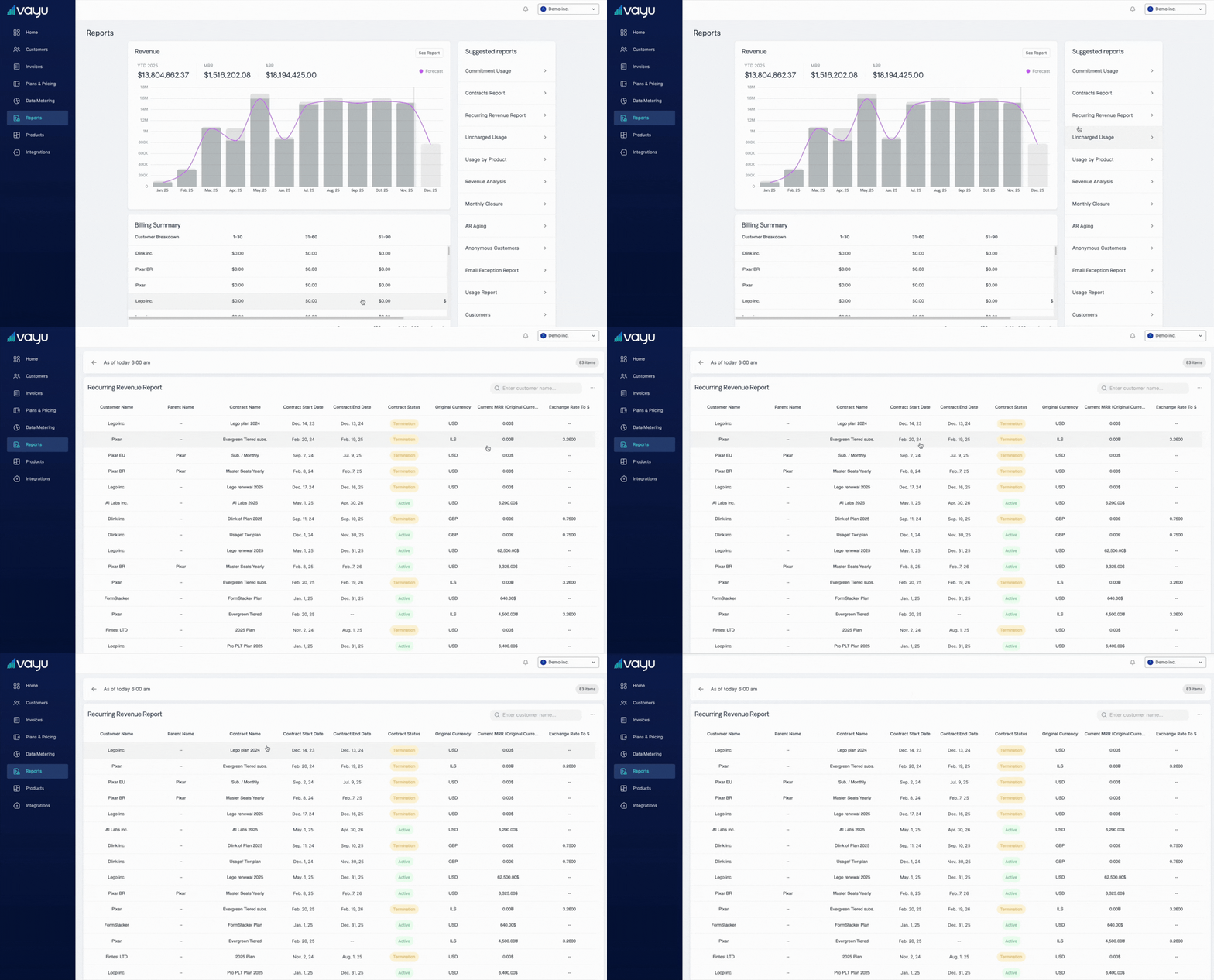
Vayu has improved its recurring revenue reporting. These reports are viewable in the app, can be downloaded in CSV form and are available by account or customer level. \
\
Navigate to **Reports** on the left-side menu, then go to the menu on the right and select **Recurring Revenue Reports >**.\
\
The reports allow for custom fields (which appear by additional column), support contract phases, and can be viewed along with past reports' MRR data in the Vayu UI.
## Other Notable Updates
* We have added settings to control whether or not invoice numbers from your integrations should override Vayu invoice numbers after a sync.
* A "Select All" option was added to product dropdowns for improved selected item display.
* Aggregated invoices will default to "In Review."
# **MRR Report**
Vayu has improved its recurring revenue reporting. These reports are viewable in the app, can be downloaded in CSV form and are available by account or customer level. \
\
Navigate to **Reports** on the left-side menu, then go to the menu on the right and select **Recurring Revenue Reports >**.\
\
The reports allow for custom fields (which appear by additional column), support contract phases, and can be viewed along with past reports' MRR data in the Vayu UI.
 # **Additional Improvements**
You will now see better customer-to-contact linking and data consistency in the Vayu UI.
This release focused heavily on invoice management, especially currencies and line item editing. Bug fixes and feature enhancements also included a focus on accurate PDF generation.
# **Currencies: Contract and Invoice-Level**
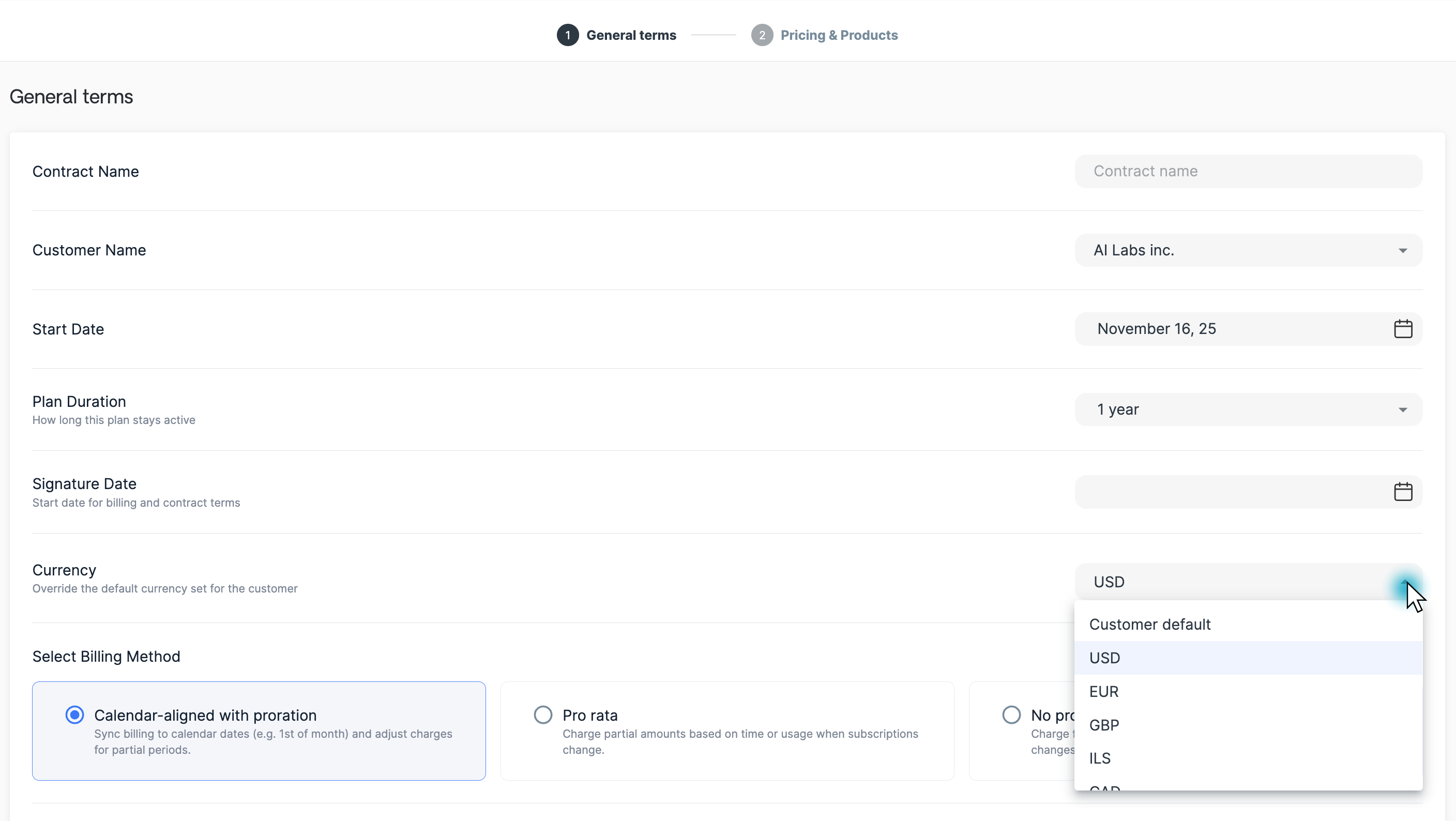
Approved invoices will maintain their original currency and *not auto-switch* when customer currency settings are changed. For example, if you charged a customer USD in the past, but switched your default to EUR later, that previous invoice will remain in USD.
# **Additional Improvements**
You will now see better customer-to-contact linking and data consistency in the Vayu UI.
This release focused heavily on invoice management, especially currencies and line item editing. Bug fixes and feature enhancements also included a focus on accurate PDF generation.
# **Currencies: Contract and Invoice-Level**
Approved invoices will maintain their original currency and *not auto-switch* when customer currency settings are changed. For example, if you charged a customer USD in the past, but switched your default to EUR later, that previous invoice will remain in USD.
 Additional currency-related updates include:
* **Data Migration:** We added an overridingCurrency field as well as new migration settings for invoice currencies.
* **Dynamic Editing:** Improved line item editing and dynamic currency fields for invoices (UI and API)
# **Editable Usage Line Items**
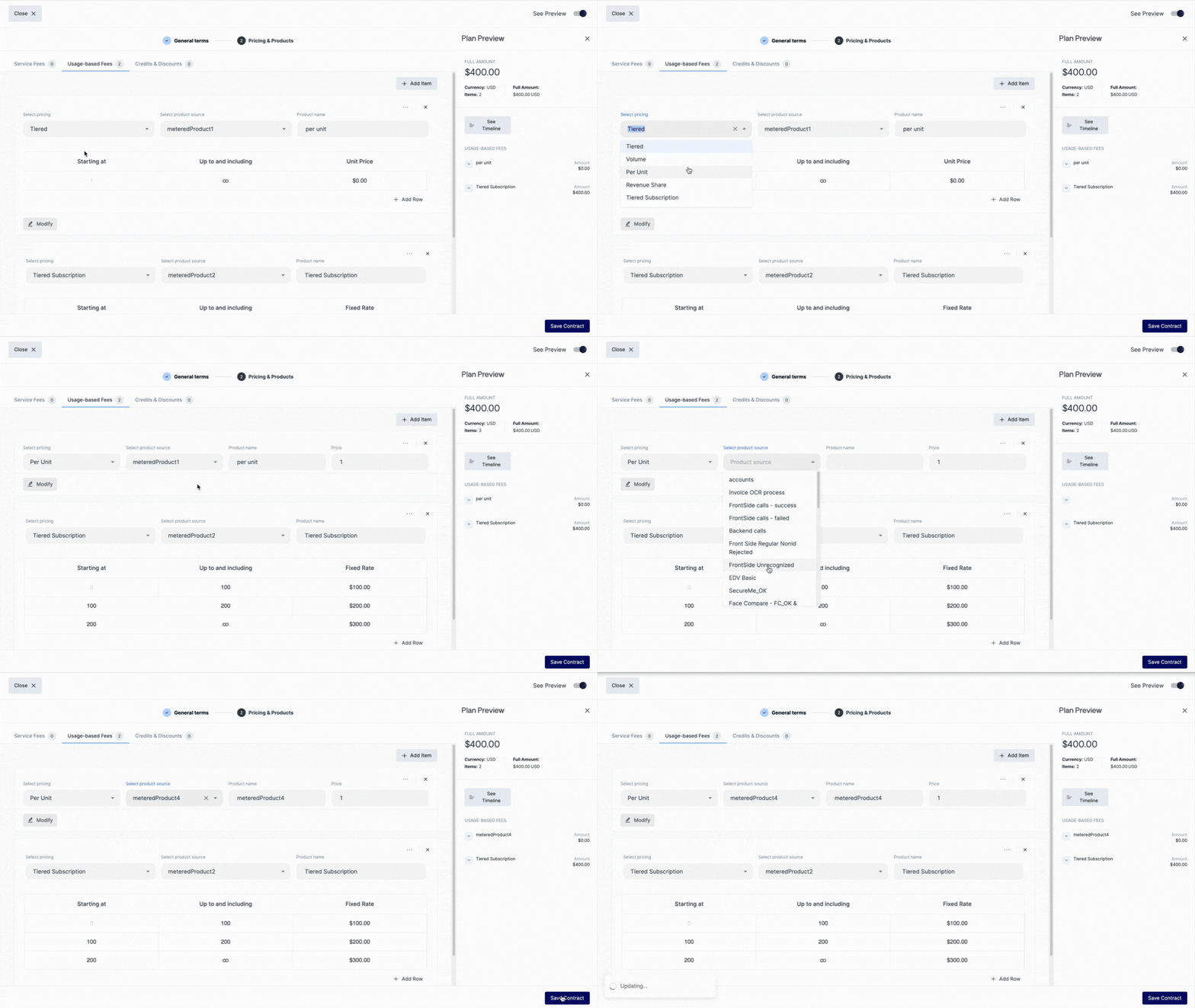
Users can now edit usage product line items the same as they can for fixed fee line items.
Additional currency-related updates include:
* **Data Migration:** We added an overridingCurrency field as well as new migration settings for invoice currencies.
* **Dynamic Editing:** Improved line item editing and dynamic currency fields for invoices (UI and API)
# **Editable Usage Line Items**
Users can now edit usage product line items the same as they can for fixed fee line items.
 Additional UI enhancements include:
* Undo function for modified prices
* Line item editing in the API
# **Contract Management**
The Contract Page also got a few enhancements, namely the ability to manage custom configurations or restrictions for editing contracts. Additionally, contract pages now show both the ERP ID and the product name. This makes it easy to check that integrations are working properly.
# **Additional Features**
* **Monitoring:** Vayu now has more enhanced audit logging and better logging for invoice calculations.
# **Multi-Currency Contract Management**
Vayu customers can now have multiple contracts with different currencies. This means you can set a specific currency other than default for each contract.
# **External API**
We have added a schema with dynamic paths for catalog products, including create, get, lists, and update.
# **Hubspot Integration**
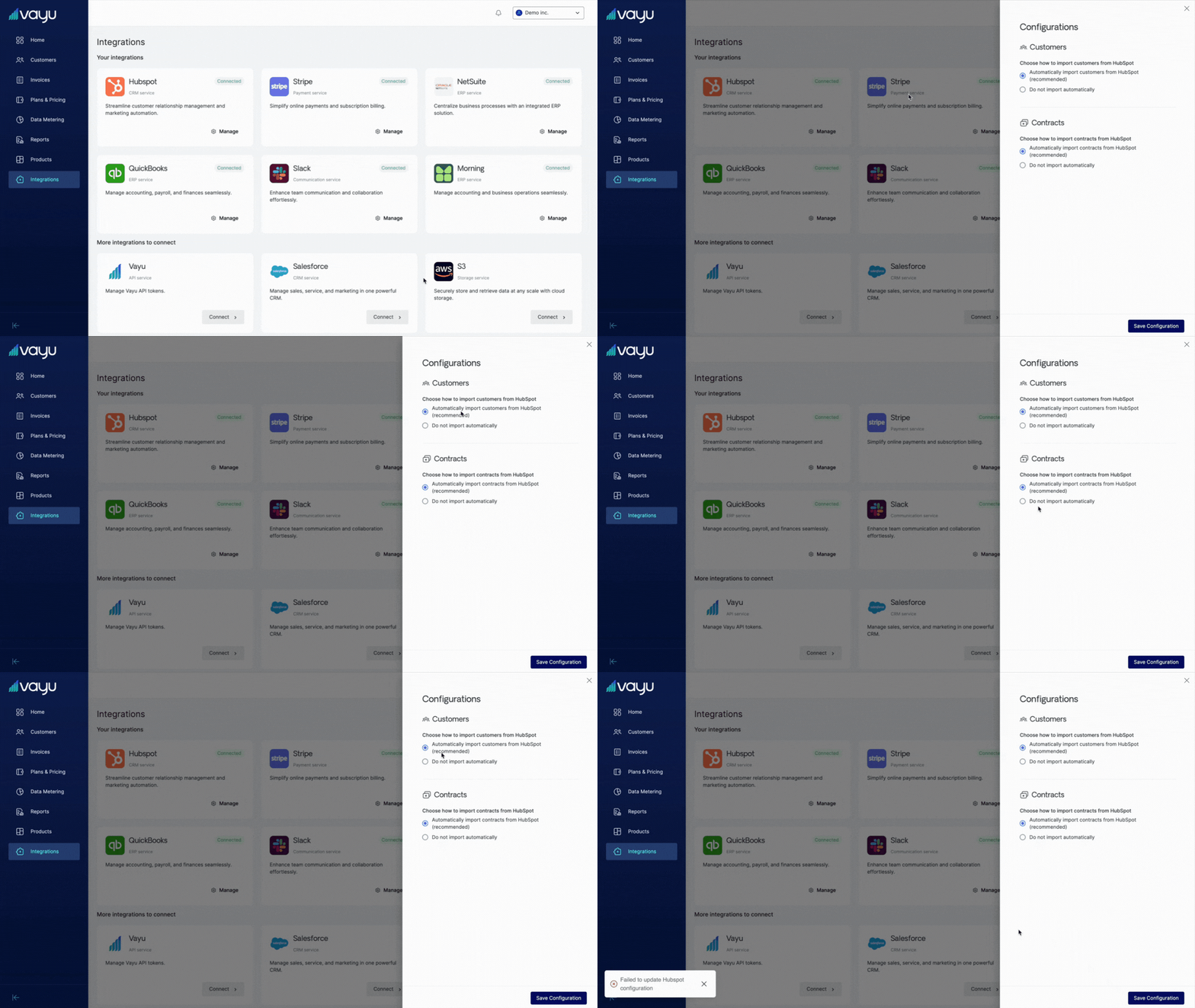
You can now link products to Hubspot, including support for contract creation, plan creation, revision, and deleting.
Additional UI enhancements include:
* Undo function for modified prices
* Line item editing in the API
# **Contract Management**
The Contract Page also got a few enhancements, namely the ability to manage custom configurations or restrictions for editing contracts. Additionally, contract pages now show both the ERP ID and the product name. This makes it easy to check that integrations are working properly.
# **Additional Features**
* **Monitoring:** Vayu now has more enhanced audit logging and better logging for invoice calculations.
# **Multi-Currency Contract Management**
Vayu customers can now have multiple contracts with different currencies. This means you can set a specific currency other than default for each contract.
# **External API**
We have added a schema with dynamic paths for catalog products, including create, get, lists, and update.
# **Hubspot Integration**
You can now link products to Hubspot, including support for contract creation, plan creation, revision, and deleting.
 # **Important Changes**
* Clearly labeled Refund operations, changed from "**Invoice**"
# **Contract Overview Page**
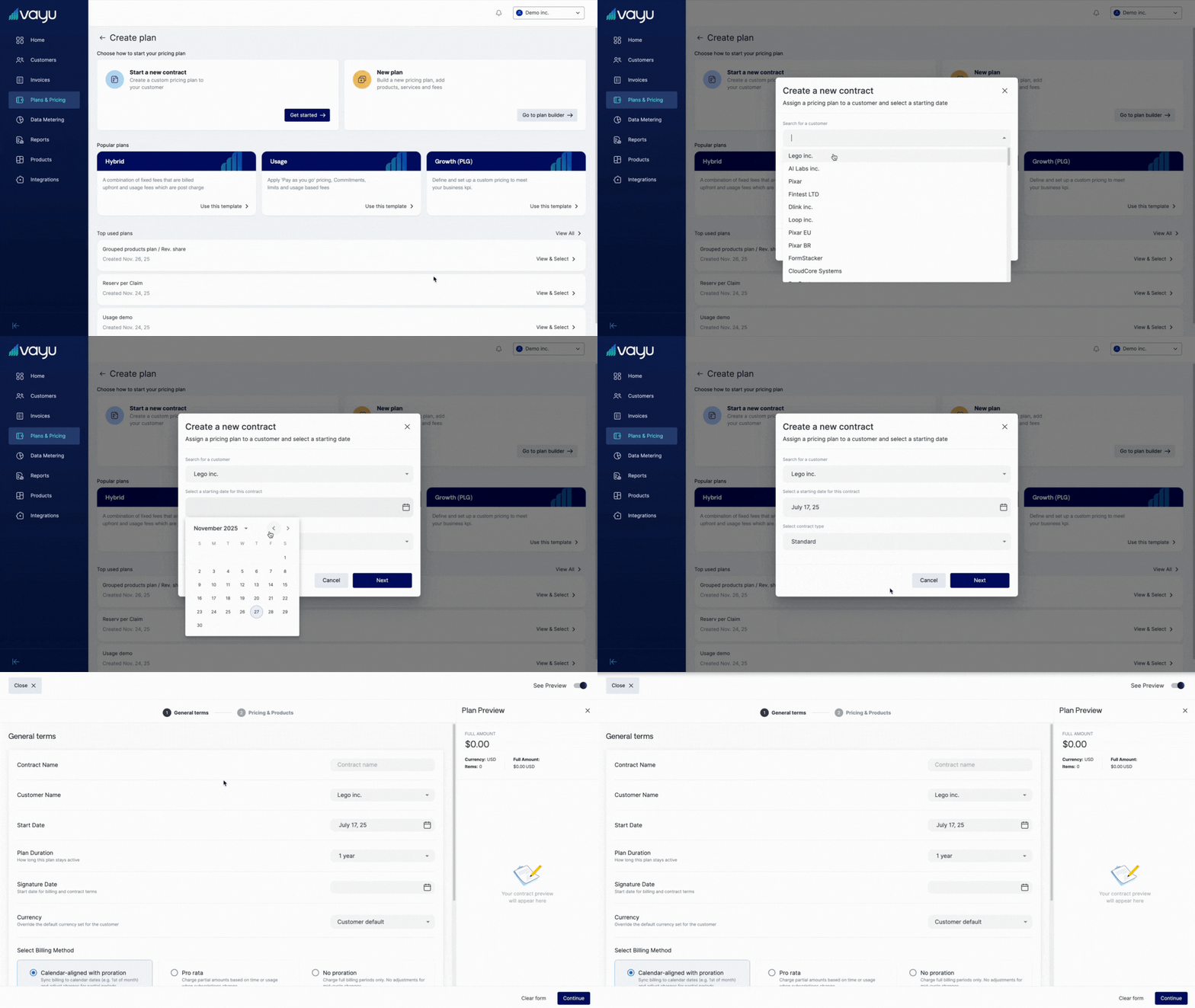
This creates a navigable hub for managing contracts.
New design now includes easy to access metrics, and places actionable contract lifecycle actions in the front:
* Billing Tab
* Phases Tab
* Products Tab
# **Important Changes**
* Clearly labeled Refund operations, changed from "**Invoice**"
# **Contract Overview Page**
This creates a navigable hub for managing contracts.
New design now includes easy to access metrics, and places actionable contract lifecycle actions in the front:
* Billing Tab
* Phases Tab
* Products Tab
 # **Introducing Phases**
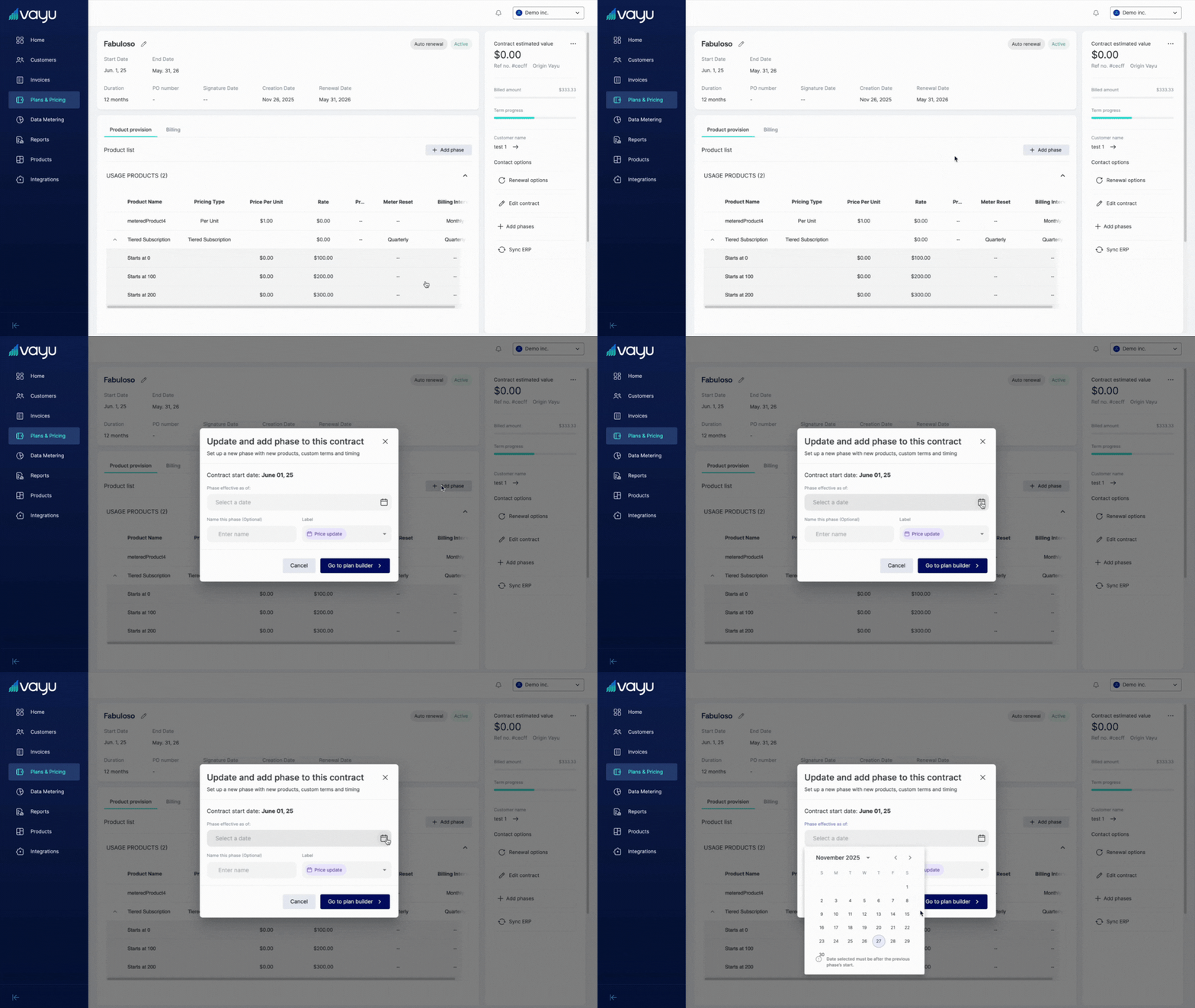 Vayu now lets you create phased contract agreements, where the terms of payment change throughout the life of the contract.
Simply go to **Customers**, then the **Contract** page, and finally press the gray **+ Add Phase** button to the right of the page. From there, a window will open letting you define the start date of the new phase. Add a label, then hit the dark blue button **Go to plan builder >**.
Check out the video below for a short, full tutorial: [https://www.linkedin.com/feed/update/urn:li:activity:7382059848361738240/](https://www.linkedin.com/feed/update/urn:li:activity:7382059848361738240/)
# **NetSuite Integration**
Vayu now lets you create phased contract agreements, where the terms of payment change throughout the life of the contract.
Simply go to **Customers**, then the **Contract** page, and finally press the gray **+ Add Phase** button to the right of the page. From there, a window will open letting you define the start date of the new phase. Add a label, then hit the dark blue button **Go to plan builder >**.
Check out the video below for a short, full tutorial: [https://www.linkedin.com/feed/update/urn:li:activity:7382059848361738240/](https://www.linkedin.com/feed/update/urn:li:activity:7382059848361738240/)
# **NetSuite Integration**
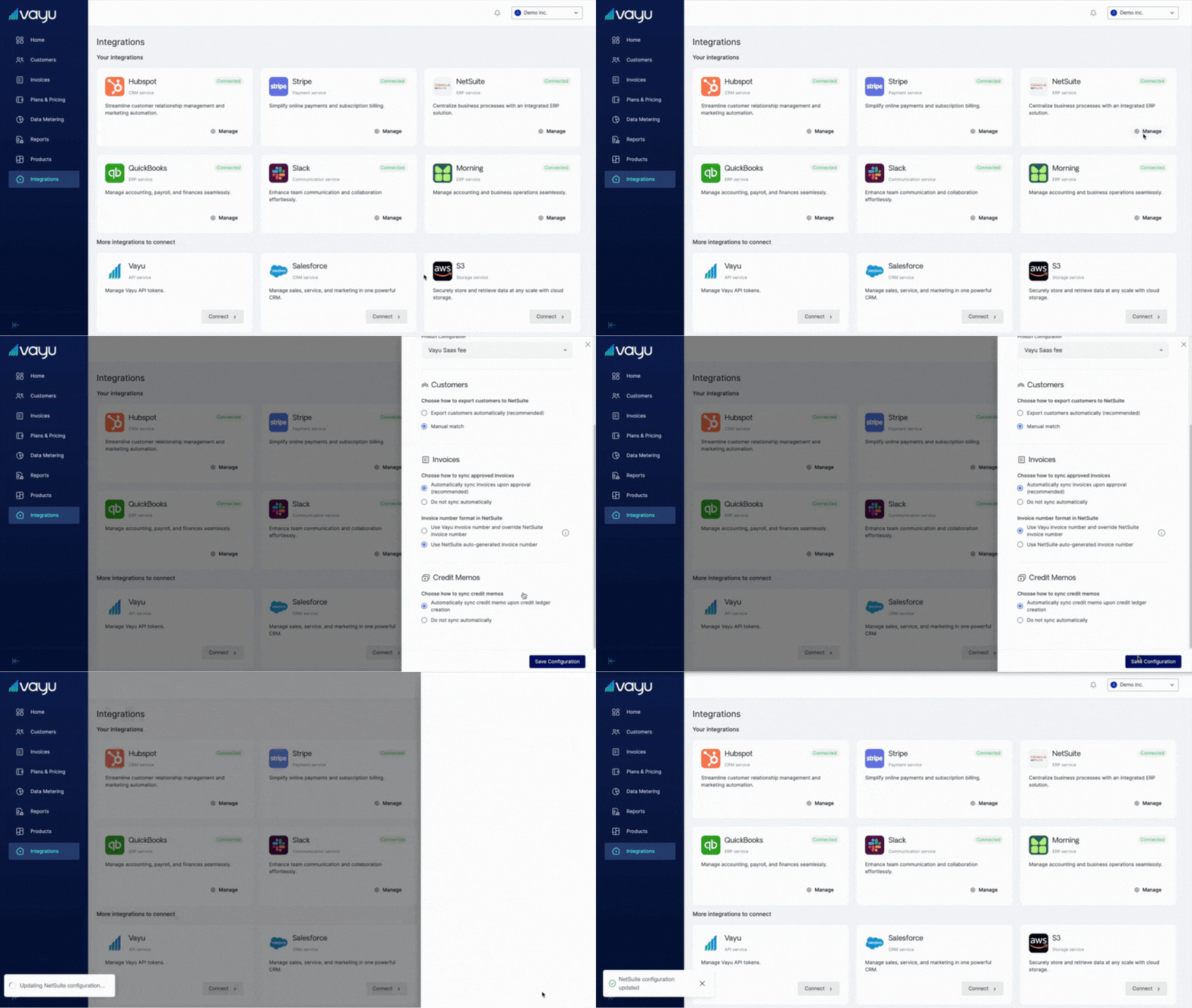 Vayu introduces its new NetSuite integration that includes automatic class assignment, class synchronization, and easy maintainability.
# **Invoice Management**
Changes for invoice management include:
* Contract status visibility and improvements to the invoice history
* Sync status
* Additional fields for currency, customer, period, issue date, and due date
# **Plan Template**
The UI for plan creation is more intuitive than it was before, with additional guidance to walk you through the steps.
Vayu introduces its new NetSuite integration that includes automatic class assignment, class synchronization, and easy maintainability.
# **Invoice Management**
Changes for invoice management include:
* Contract status visibility and improvements to the invoice history
* Sync status
* Additional fields for currency, customer, period, issue date, and due date
# **Plan Template**
The UI for plan creation is more intuitive than it was before, with additional guidance to walk you through the steps.
 # **Enhanced Dashboard**
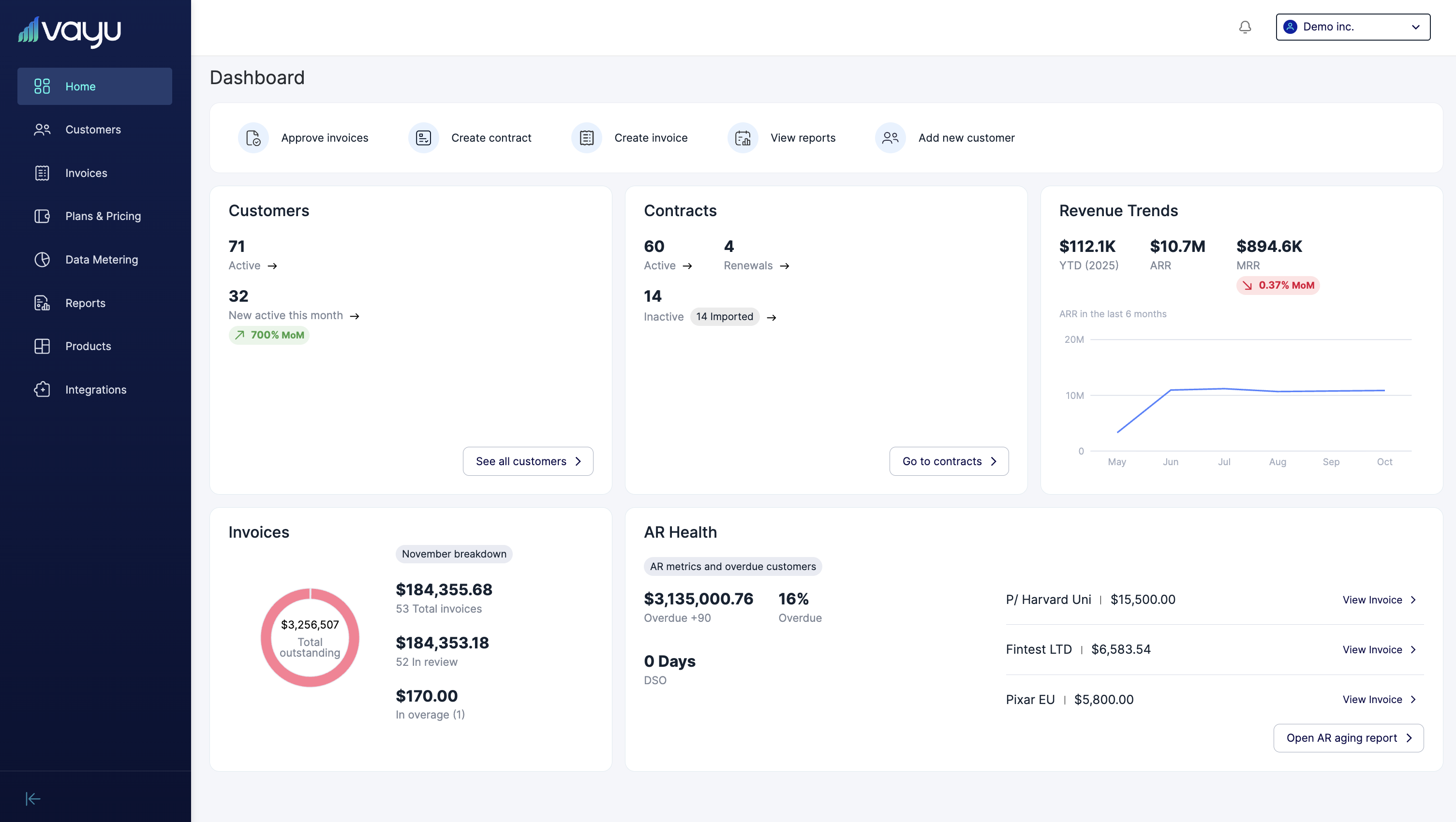 Vayu has upgraded its reports dashboard to display more comprehensive data. This also includes suggested reports.
* Additional `useInvoicesSummary` hook for comprehensive reporting
* Revenue chart data
* Suggested reports list includes new report sections, including Customer section
# **Notifications**
Vayu has created or enhanced notification options, including a new option for Slack and improved email alerts.
# Sales Order Flow
Users will benefit from our updated sales order sync, validations, and status capture. You should see better focus handling and clearer status display.
# **Customer Overview Page**
Vayu has upgraded its reports dashboard to display more comprehensive data. This also includes suggested reports.
* Additional `useInvoicesSummary` hook for comprehensive reporting
* Revenue chart data
* Suggested reports list includes new report sections, including Customer section
# **Notifications**
Vayu has created or enhanced notification options, including a new option for Slack and improved email alerts.
# Sales Order Flow
Users will benefit from our updated sales order sync, validations, and status capture. You should see better focus handling and clearer status display.
# **Customer Overview Page**
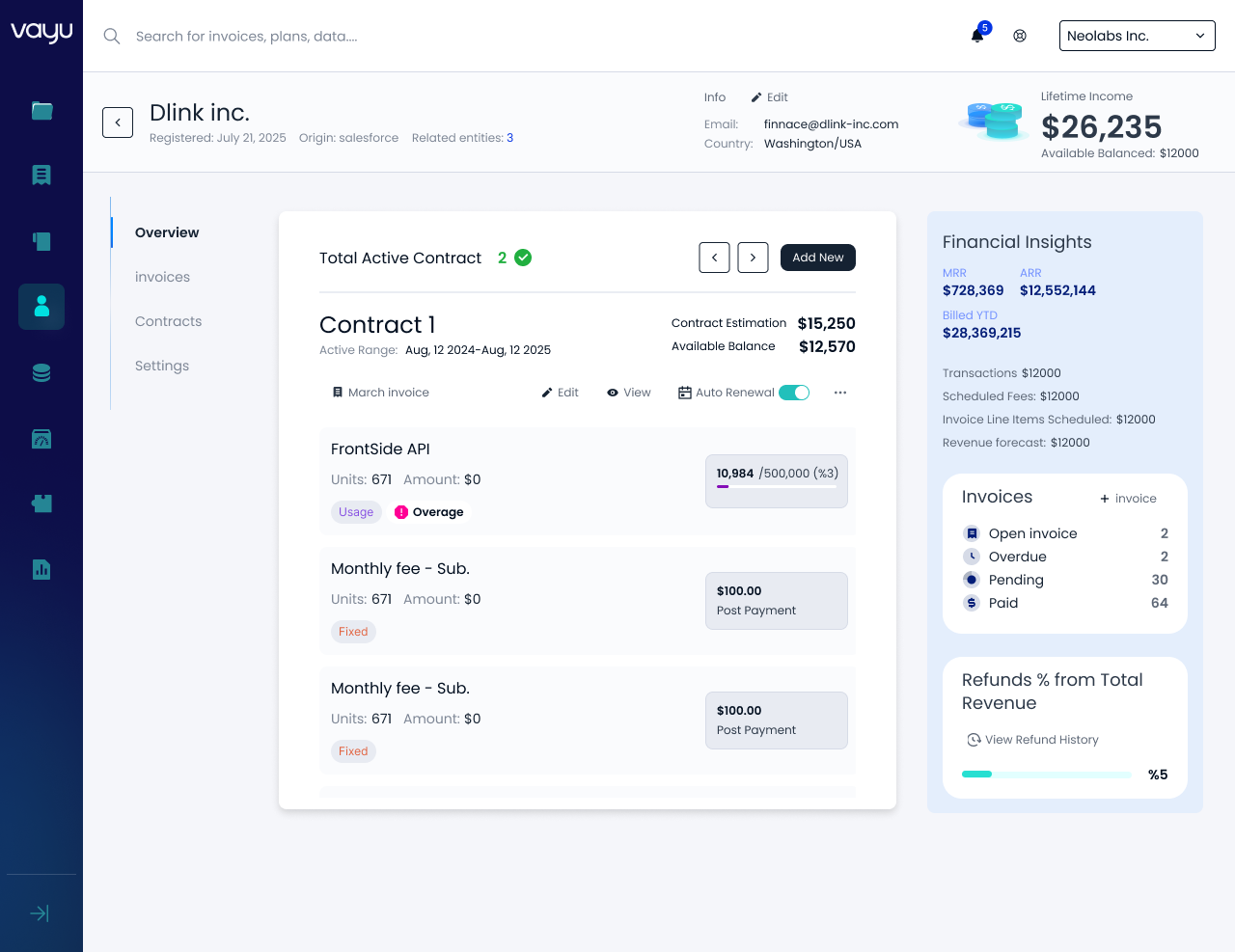 The **Customer Overview Page** provides a consolidated view of a customer's **financial status, revenue insights, and key metrics**, streamlining workflows for tracking billing, managing contracts, and analyzing revenue
# **NetSuite Invoice Synching**
Vayu now lets you sync invoices with many of your resources. Our improved NetSuite integration gives you the capability to sync invoices with different items.
* Credit information
* Discounts
* Manual changes
# Email Notifications
We have added improved email alerts for tier crossing and commitments.
# **Security**
Vayu has added granular role-based access control (RBAC) to Catalog Products.
The **Customer Overview Page** provides a consolidated view of a customer's **financial status, revenue insights, and key metrics**, streamlining workflows for tracking billing, managing contracts, and analyzing revenue
# **NetSuite Invoice Synching**
Vayu now lets you sync invoices with many of your resources. Our improved NetSuite integration gives you the capability to sync invoices with different items.
* Credit information
* Discounts
* Manual changes
# Email Notifications
We have added improved email alerts for tier crossing and commitments.
# **Security**
Vayu has added granular role-based access control (RBAC) to Catalog Products.